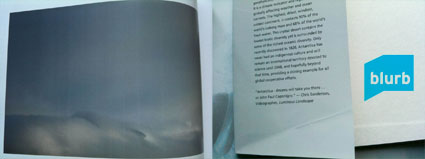
Photography Book Now Competition – Deadline July 14
June 26, 2011 | Leave a Comment
Darius Himes clearly describes the judging criteria for Blurb’s PBN contest.
Read more about Blurb’s PBN contest here.
Find Darius Himes book Publish Your Photography Book here.
Visit Darius Himes’ website here.
Learn more in my bookmaking resources here.
How to Layout and Design Your Book Like a Pro
May 7, 2011 | Leave a Comment
“Pro photographer and book designer Mat Thorne presents an introduction to book design principals. This webinar covers an overview of typography, essentials of cover design, and laying out front & back matter. Mat also shares examples and offers inspiration from published photography books.”
Find more bookmaking resources here.
Learn more in my digital printing and digital photography workshops here.
Blurb’s Bookify Plug-In For Lightroom
April 20, 2011 | Leave a Comment
Now you can seamlessly flow the photos you edit in Lightroom 3 straight into your Blurb Bookify™ books with our new Lightroom plug-in.
Here’s how simple it is.
- Flow edited Lightroom images into Bookify™ (online).
- Choose your book’s layout and style from within Lightroom.
- Stream photo captions automatically into your book’s text boxes.
- Automatically capture file data for the images in your book.
Blurb’s BookSmart is also coming soon to Lightroom.
Read more with my Bookmaking online resources.
Blurb’s Bookify
October 22, 2010 | Leave a Comment
Blurb recently announced it’s new online bookmaking tool Bookify.
“Some projects are simpler, just begging for a streamlined solution. If what you want to create is a beautiful photo book – tonight – then you really should give our new online bookmaking tool, Bookify, a spin. It’s a fantastic new way to make books at Blurb.
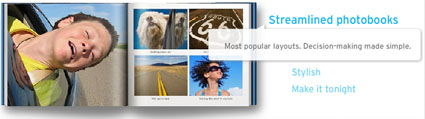
Bookify features a specially curated set of our most popular layouts – or you can just drag and drop your photos and the page will design itself. Amazing. Plus, the whole thing is online so you can make a book from wherever you are.
So while PDF to Book is great for more involved projects, Bookify is ideal for simpler work.”
Here’s why:
• It’s streamlined. Curated layouts and our most popular fonts.
• It’s convenient. No download necessary. Simply import your photos from Flickr® or your computer, and start making your book instantly. You can even work on your book from more than one computer.
• It offers all the Blurb goodness – professional quality, stellar image printing, great paper choices, hardcover or softcover, and five of our book sizes – and all at affordable prices.
Make a book with Bookify by November 2 (11:59 p.m. PDT) and save 25%.*
Just type in the appropriate promo code at checkout and you’re set:
• USD $ coupon code: BOOKIFY
• GBP £ coupon code: BOOKIFY1
• EUR € coupon code: BOOKIFY2
• CAD $ coupon code: BOOKIFY3
• AUD $ coupon code: BOOKIFY4.
Find more resources in my Bookmaking lessons.
Learn more in my bookmaking workshops.
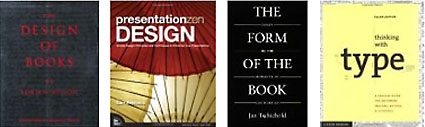
Books to Help You Design Books
August 25, 2010 | Leave a Comment
There’s a lot to learn about producing books and graphic design.
Find books that will quickly help you learn about these interesting topics here.
Find more Bookmaking resources here.
Learn more in my Fine Art Digital Printing workshops.
Blurb’s Return Policy
July 5, 2010 | Leave a Comment
If your Blurb book was damaged in shipping or has a production defect (like banding or improper binding) Blurb will replace it. Simple email them a picture of your problem to start the process.
There are a number of things that can go wrong that Blurb can’t cover, which you can control by carefully checking a file before you upload it.
Blurb guarantees your satisfaction with the workmanship of your book. On the off chance your book arrives damaged or with a manufacturing defect, contact us via Blurb’s Customer Support within 14 days of receipt. We’ll make things right. Please understand that Blurb does not provide refunds or cancel orders, and except for the cases expressly described in this return policy (i.e., your book arrives damaged, with a manufacturing defect or a defect in workmanship), Blurb cannot otherwise accept returns.
Please note that each book you order from us is individually made by one of Blurb’s top-notch professional book-printing partners. There may be minor differences across different prints of the same books and/or across books printed by our different book-printing partners, including, but not limited to, slight variances in color fidelity and binding type. While we work very hard to keep our product as consistent as possible, this variation is a normal occurrence and is not considered a manufacturing defect or a defect in workmanship and does not qualify for a reprint.
When Purchasing Your Own Book…
Your book is all yours: Blurb does not proof, edit, or change your content in any way. This means it’s your responsibility to review your book before you publish, and fix:
- Typos, grammar, unfinished text, or other text errors
- Low-resolution images that may appear blurry in print
- Dark images that appear dark on screen (Blurb doesn’t lighten your images to match what you see on a backlit screen)
- Design issues, including book format, organization, style, color, and page layout
- Any other creative choices you made in Blurb BookSmart® or PDF to Book you want to revisit
We strongly recommend printing a hard copy of your book on your local printer for a final once-over. (You might ask a friend to look it over, too.) If you find changes you’d like to make, no problem. Just make them in Blurb BookSmart® or your original PDF to Book file, upload the revised book, and then order as many copies as you’d like.
When Purchasing a Book From the Blurb Bookstore…
Blurb is not responsible for the quality of the content of any book in the Blurb Bookstore. Each book you purchase from the Blurb Bookstore is custom printed only upon your order, and we don’t warehouse books, therefore we do not accept returns or process refunds for any reason, except to the extent we guarantee your satisfaction with the workmanship of our books, as described above.
Learn more with my Bookmaking Lessons.
Learn more in my Fine Art Digital Printing Workshops.

Get Great Color in Blurb Books!
July 4, 2010 | Leave a Comment
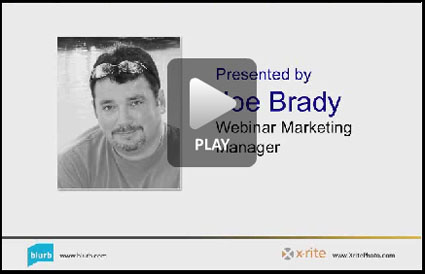
X-Rite and Joe Brady offer this free 52 minute webinar on how to get great color in Blurb books.
Step-by-Step Guide to Creating Your Book (37 Minutes)
Learn how to: create your book; work with photos, text, and layouts; upload your book; and more.
Blurb BookSmart® Design Tips and Techniques (26 minutes)
For those who already know the basics of BookSmart, this intermediate session explores several design ideas you can use in your books.
Using InDesign® to Make a Blurb Book (3:33)
A short three-minute introduction to using Adobe InDesign® to create compliant PDF files by using the Blurb PDF/X-3 Export Preset and the Blurb Templates.
Learn more with my Bookmaking Lessons.
Learn more in my Fine Art Digital Printing Workshops.

Make a Blurb book by July 31 and get 20% off. Blurb is declaring July “Digital Photo Liberation”. Liberate all those holiday/wedding/baby/you-name it photos locked away in your camera and on your computer. Set them free – get them out of the digital world and into the physical world – in a book made by you.
Simply type in the appropriate promo code at checkout.
– USD $ coupon code: LIBERATION
– GBP £ coupon code: LIBERATION1
– EUR € coupon code: LIBERATION2
– AUD $ coupon code: LIBERATION3
– CAD $ coupon code: LIBERATION4
Learn more with my Bookmaking Lessons.
Learn more in my Bookmaking Workshop.
Blurb Volume Discounts
July 3, 2010 | Leave a Comment
With Blurb you can order one copy of your book or many. Volume order discounts begin on orders of ten or more copies of the same book. For orders of 1,000 or more, Blurb offers offset printing for better economies of scale. Your discount grows along with the size of your order.
What are the discounts?
10 – 199 10%
200 – 400 15%
401 – 999 Request a POD price quote here.
1000+ Request an Offset price quote here.
Find out more and get answers to these frequently asked questions here.
– Do I need to order a proof book before I submit a volume order?
– Will my volume order books look like my proof book?
– How much is shipping?
– How can I get a price quote for a volume order?
– What is the total turnaround time for volume orders?
– Why do volume orders take longer to process?
– What are my payment options for a volume order?
Learn more with my Bookmaking Lessons.
Learn more in my Fine Art Digital Printing Workshops.
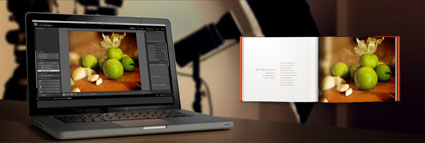
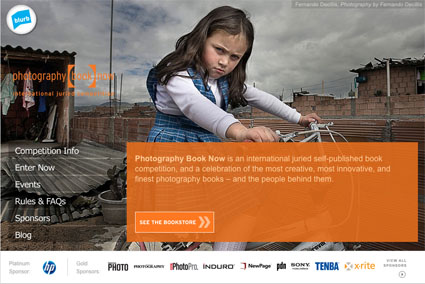
Blurb’s Photography Book Now Contest
July 2, 2010 | Leave a Comment
Only two more weeks remain in Blurb’s Photography Book Now contest.
Blurb books must be submitted by 11:59 PDT July 15.
Categories include Fine Art, Editorial, and Portfolio.
The Grand Prize is $25,000.
Jurors include Darius Himes, Monica Allende, David Fahey, Michael Mack, Lesley A Martin, Susan Meisalas, Erin O’Tool, Martin Parr, Judith Puckett-Rinella, and Brian Smith.
Get the inside scoop from the jurors here.
What makes a winning photo book? Darius Himes (publisher)
Which photo books have been most influential? David Fahey (dealer)
What books should you read on a desert island? Brian Smith (photographer)
What are last year’s PBN winners are up to now?
Learn more about the the PBN Contest here.
Learn more with my Bookmaking Lessons.
Learn more in my Fine Art Digital Printing Workshops.
Subscribe
Get the RSS Feed-
- Adventures
- Alumni
- Antarctica
- Antarctica 2009
- Apps
- Audio
- Books
- Business
- Calendar
- Canon Cameras
- Causes
- Cell Phone
- climate change
- Collected
- Color
- Composition
- Contests
- Conversations
- Creativity
- Destination
- Disclosure
- Discount
- Drawing
- DVDs
- eBooks
- Editing
- Environment
- Epson Print Academy
- Equipment
- Event
- Exercises
- Exhibit
- Experiment
- Exposure
- Green Actions
- Greenland
- Guest Blog
- Huffington Post
- iceland
- Images
- Influences
- Inspiration
- Interviewed
- iPad
- iPhone
- Lecture
- Lighting
- Lightroom
- Magazine
- Map
- Masterworks In My Collection
- Media
- Meditation
- Multimedia
- Namibia
- News
- Optical Illusions
- Packing
- People
- Photographer's Favorite Quotes
- Photographers
- Photographers – Q&A
- Photographers On Photography
- Photographers Video Conversation
- photography
- Photoshop
- Postcards
- Printing
- Published
- Q&A
- Quotes
- R/Evolution
- Radio
- Reading
- Requests
- Review
- Reviewing
- Science
- Screensaver
- Sculpture
- Seminar
- Sharpening
- Slideshow
- Social Causes
- Social Networks
- Software
- Special Guest
- Special Offer
- Statements
- Storytelling
- Technique
- Technology
- The Making Of The Print
- The Stories Behind The Images
- Travel
- Uncategorized
- Video
- Video – Artists
- Video – Creativity
- Video – Lightroom
- Video – Photographers
- Video – Photography
- Video – Photoshop
- Video – Quick Tips
- Website
- Winners Of The Day
- Workshop Giveaways
- Workshops
- Writing
- X-Rite i1Photo Pro
Archives
-
- June 2013
- May 2013
- April 2013
- March 2013
- February 2013
- January 2013
- December 2012
- November 2012
- October 2012
- September 2012
- August 2012
- July 2012
- June 2012
- May 2012
- April 2012
- March 2012
- February 2012
- January 2012
- December 2011
- November 2011
- October 2011
- September 2011
- August 2011
- July 2011
- June 2011
- May 2011
- April 2011
- March 2011
- February 2011
- January 2011
- December 2010
- November 2010
- October 2010
- September 2010
- August 2010
- July 2010
- June 2010
- May 2010
- April 2010
- March 2010
- February 2010
- January 2010
- December 2009
- November 2009
- October 2009
- September 2009
- August 2009
- July 2009
- June 2009
- May 2009
- April 2009
- March 2009
- February 2009
- January 2009
- December 2008
- November 2008
- October 2008
- September 2008
- August 2008
- July 2008
- June 2008
- May 2008
- April 2008
- March 2008
- February 2008
- December 2007
- September 2007
- April 2007
- March 2007
- February 2007
- December 2006
- November 2006
- October 2006
- August 2006
Categories
Blogroll
Topics & Friends
WP Cumulus Flash tag cloud by Roy Tanck requires Flash Player 9 or better.