Abelardo Morell and the Magic of Camera Obscuras
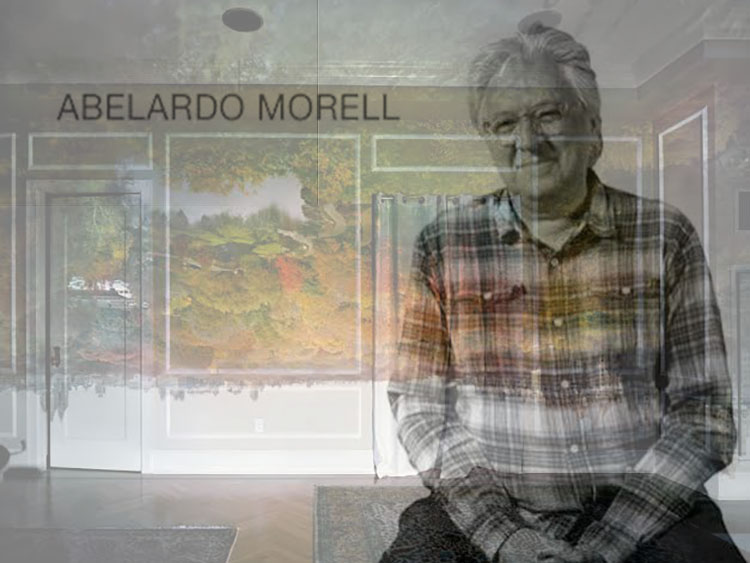
Abelardo Morell shares his process and thoughts on making photographs with a camera obscura.
Discover more from Abelardo Morell here.


Abelardo Morell shares his process and thoughts on making photographs with a camera obscura.
Discover more from Abelardo Morell here.
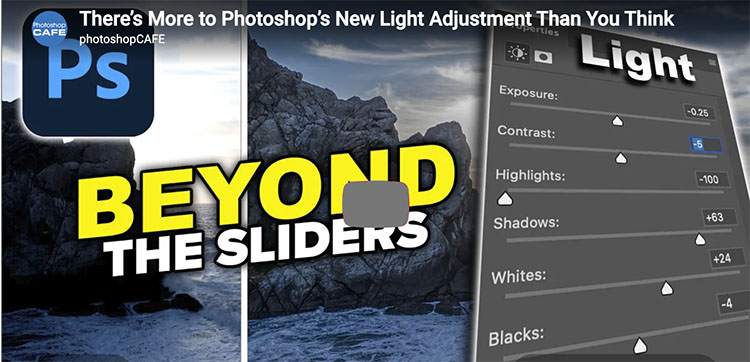
First, Colin Smith shows you …
Photoshop’s new Light adjustment brings Exposure, Contrast, Highlights, Shadows, Whites and Blacks directly into an adjustment layer. But there’s more to it than just moving six sliders. In this deep dive, Colin Smith from PhotoshopCAFE shows how to use the new Light adjustment to recover highlight and shadow detail, control dynamic range, stack adjustments, use masks for targeted edits, and get more control than you might expect. I’ll also explain why Shadows and Highlights temporarily disappear when you edit layers underneath the Light adjustment.
Second, Jesus Ramirez shows you …
Find more from Colin Smith at the Photoshop Cafe.
Find more from Jesus Ramirez at the Photoshop Training Channel.
Learn more in my digital photography and digital printing workshops.

“See the most useful abd the most wild new features in Photoshop beta 2026 September, Dynamic layers and before and after preview. Colin Smith shows you how to use the new features in Photoshop.”
Find more at Colin Smith at Photoshop Cafe.
Learn more in my digital photography and digital printing workshops.
As The Crit House continues to evolve, Jeff Larason talks about what he’s learned so far.
Learn more from The Crit House here.
Find 12 Photographers Share Their Top 5 Influences here.

Photoshop 2026 update, new features in August 2026 release of Photoshop. Colin Smith shows you all the new features in Photoshop.
00:00 Intro
00:29 The Light Panel
02:05 Light Glows
04:10 Proper explanation of the styles: diffusion, bloom and halation
06:30 Freeform Dynamic Text
07:41 Ai assisted Pro Editor workspaces
10:04 New ai markup + annotation tools
12:05 Generate inside masks, updated image 5 Model
Find more at Colin Smith at Photoshop Cafe.
Learn more in my digital photography and digital printing workshops.
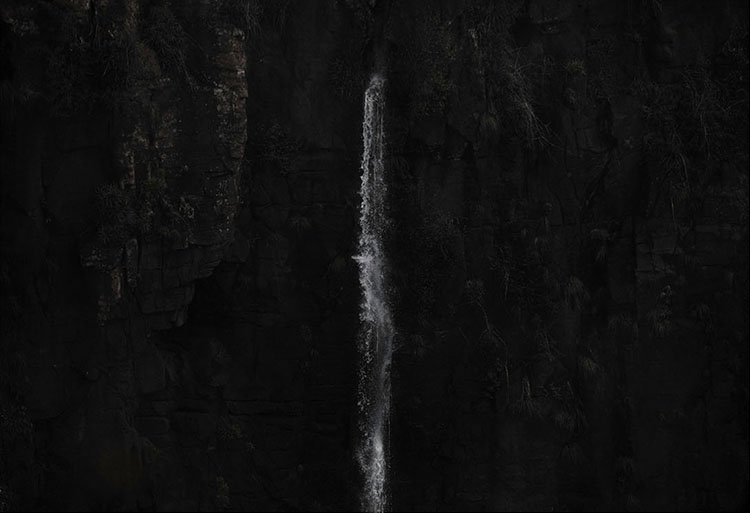
We’re often taught that good photographic technique means preserving detail from the brightest highlights to the deepest shadows. We expose carefully, process selectively, and use increasingly sophisticated tools to recover the information our cameras capture. But just because detail is there doesn’t mean we need to see it.
More information doesn’t necessarily produce more expression. Sometimes revealing everything can actually diminish a photograph. Shadows can conceal, simplify, suggest, intensify, and transform. What we don’t see can become as important as what we do.
Think of Ridley Scott’s Alien. Unlike its sequels, the creature in the first film is most terrifying largely because we rarely see it clearly. We catch glimpses and fragments. We don’t fully understand its form, what it’s becoming, or what it can do. What the film withholds creates a space our imaginations rush to fill. What we imagine may be more disturbing than anything we could be shown.
Shadows can work the same way. When a photograph describes everything, less is left for the viewer to discover. Suppress information and other things become more active: atmosphere, mood, ambiguity, imagination. What isn’t supplied invites the viewer to participate.
This doesn’t mean blocked shadows are inherently expressive. Losing detail indiscriminately is no more creative than preserving it indiscriminately. The question isn’t whether shadow detail is good or bad. The question is: What does the photograph need? What function do the shadows serve? Does the form fit the function?
What Can Lost Shadow Detail Do?
Create atmosphere.
Forms don't need to disappear into black to lose detail. Mist, haze, smoke, and low contrast can obscure information while making atmosphere itself palpable.
Establish depth.
Detail and tonal separation can change with distance. Controlling how much we see—and where—can organize space and intensify atmospheric perspective. The blackest black is closest.
Intensify mood.
Darkness carries emotional weight. Allowing shadows to overtake a scene can make it intimate, contemplative, brooding, ominous, or mysterious.
Create suspense.
Forms hovering on the threshold of visibility can hold our attention precisely because we can’t quite apprehend them. The eye keeps looking.
Make light more luminous.
A pool of light surrounded by darkness appears brighter than the same value surrounded by midtones. Sometimes darkness gives light its power.
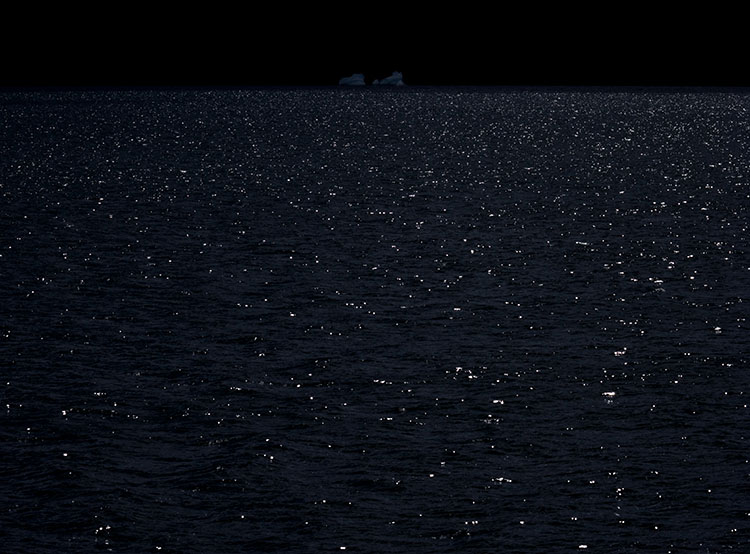
Photographers spend a lot of time learning how to preserve shadow detail. But once you know how to keep it, you can make more interesting decisions about when to let it go.
There are many ways you can withhold shadow deliberately – exposure, lighting, atmosphere, focus, composition, processing, printing, and even presentation. Each changes not only how much we see, but how we see.
Here are some moves to try.
Exposure
Lighting
Atmosphere, Focus & Motion

Lightroom Classic and Adobe Camera RAW 2026 update, new features in August 2026 release of ACR and Lightroom. Colin Smith shows you all the new features
00:00 Intro
07:11 New Mask Adjustment in Lightroom
03:29 Render as DNG
05:08 Auto Blemish removal
06:22 Edge expand, Generative ai or non ai.
08:29 Bi Directional Gradient
12:26 Skin tones with Vectorscope
Find more at Colin Smith at Photoshop Cafe.
Learn more in my digital photography and digital printing workshops.

How to get a bidirectional gradient in Lightroom Classic.
A quick 2 min tip with Colin Smith.
Find more at Colin Smith at Photoshop Cafe.
Learn more in my digital photography and digital printing workshops.

“PhotoshopCAFE Colin Smith shares 7 powerful new Photoshop tips in 2026. Lots of new features have been added to Photoshop; it’s time for new Photoshop tips!”
00:00 Intro
00:10 Refining auto selection, Object select
01:24 Adjust Colors, Refine selections
02:38 Remove tool modes
04:22 General Distractions, ignore model box
05:11 Use correct AI model
06:34 Checking Generative Credits
07:19 Contextual Taskbar tips
Find more at Colin Smith at Photoshop Cafe.
Learn more in my digital photography and digital printing workshops.