

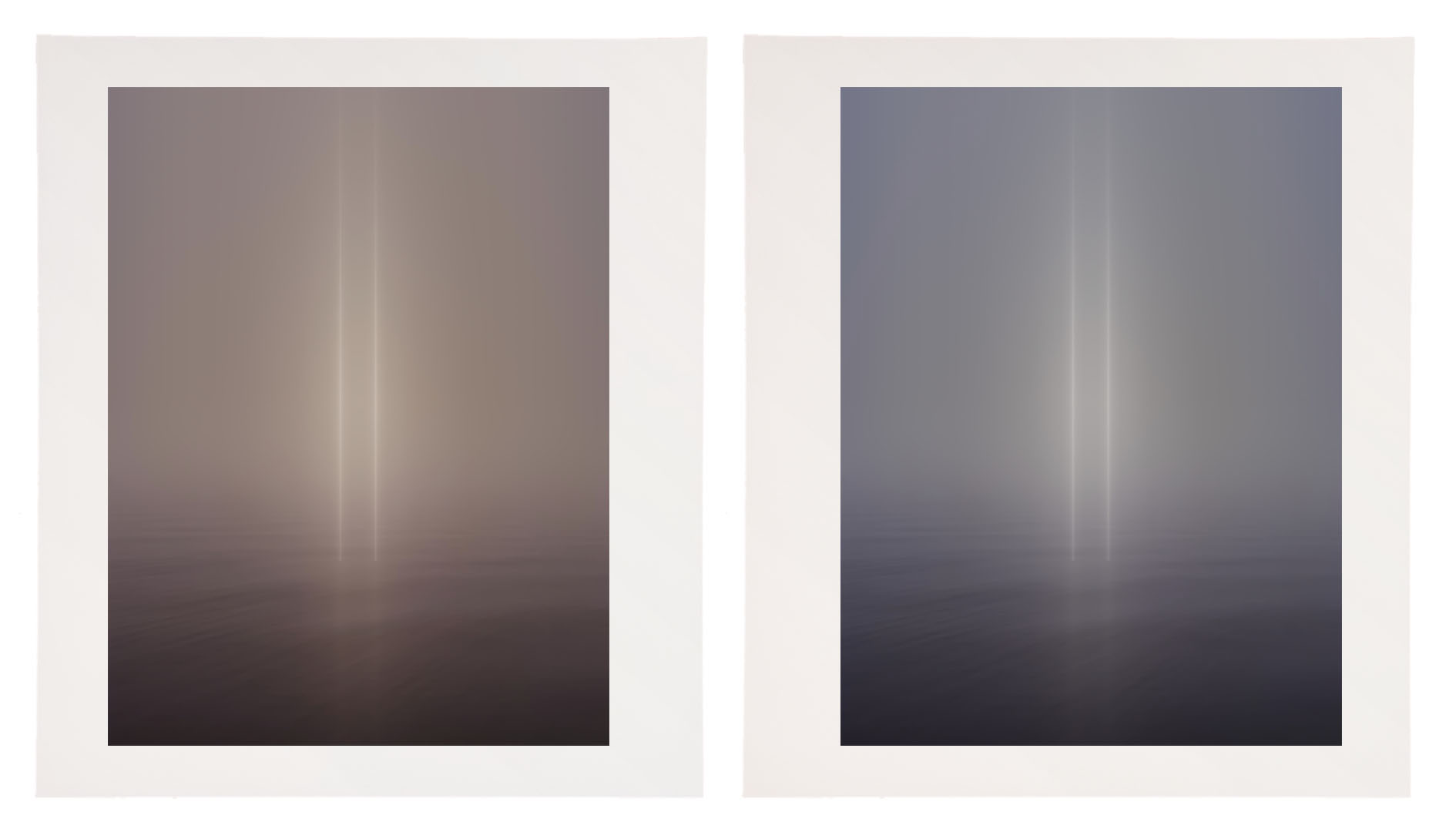
A print printed with a 5000K profile viewed under a warmer light temperature (left)
and a print with a compensating cooling adjustment (right).
The vast majority of printing profiles are optimized for a viewing light temperature of 5000K. Yet, the final viewing light temperature for most prints is rarely 5000K.
What light temperature are most prints viewed under? In galleries and museums, the standard tends to be halogen or LED with a similar temperature (3800K). In most homes, you’ll typically find a mix of tungsten (2900K) and daylight (5000K); the mix depends on placement and the time of day.
If you proof under 5000K light, the color of the final print will shift when viewed under a different light temperature. If you use a printing profile optimized for 5000K and your prints are viewed under a different light, the final viewing light, they will appear to shift color. If you proof under a light temperature similar to a final viewing temperature other than 5000K then the softproof on your monitor will appear less accurate.
What can you do?
You could edit the printing profile you’re using, but this requires special software and the expertise to use it. It’s more practical to use an existing profile optimized for 5000K and compensate during the printing process for the discrepancy in viewing light temperature. This requires some initial proofing. To do this, use an image that contains a variety of colors; include neutrals that make color shifts very apparent. Proof the image. Evaluate the proof under the light temperature that the final print will be viewed in. Next, apply a color adjustment to compensate for the apparent shift in color caused by your chosen viewing light temperature. For instance, if you’re printing for a typical viewing light, between 3500K and 4000K, warmer than 5000K, you’ll most likely be adding a little cyan and a touch of blue (I’ve had more success using Curves than White Balance) to compensate for the warming influence of the lower light temperature. It may take a few proofs to get it right. But once you compensate for this color shift precisely, you can use that correction for all of the other prints you make, regardless of inkset or substrate. Use a preset, an action, or an adjustment layer, as you like. This adjustment will work every time, as long as your standard viewing light temperature doesn’t shift,
Then, take the extra step of recommending a viewing light temperature to venues that display your prints and customers who purchase them.
Explore more Printing resources here.
Learn more in my digital photography and digital printing workshops.
Sorry, the comment form is closed at this time.