.

10 Photoshop Updates That You May Have Missed

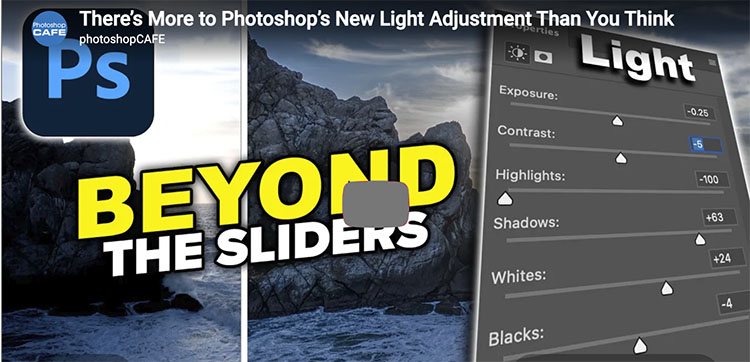
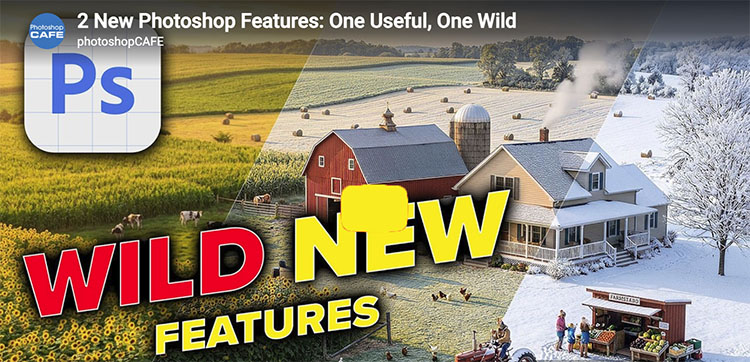
“Photoshop’s most recent release brings a mix of powerful AI upgrades and practical workflow improvements to help you work faster and smarter. In this video, Julieanne presents a clear walkthrough of updates like Distraction Removal, Dynamic Text, Rotate Object, and Layer Clean-Up. She also covers the latest generative AI enhancements, including Instruct Edit, third-party model reference image support, Firefly Boards integration, and how to track and view Generative Credits. All of these features are available now in the current release of Photoshop 27.6, and are also included in the Photoshop Beta.”

For more check out Julieanne’s blog.

Learn more in my digital photography and digital printing workshops.

Enjoy The 2026 Camden Festival Of Poetry


Aimee Nezhukumatathil
Keynote


The 2026 Camden Festival Of Poetry Is Coming!

It’s free and open to the public.

Register here.


Enjoy all the pre-festival events!


Tuesday, March 7 – 2:00 PM – 4:00 pm
World of Wonders with Kristen Lindquist

Tuesday, March 7 – 2:00 PM – 4:00 pm
World of Wonders with Ann van Buren

Tuesday, March 28 – 1:00 PM – 3:00 pm
World of Wonders with Brandon Keim

Tuesday, April 4 – 1:00 PM – 3:00 pm
World of Wonders with Mihku Paul


Festival Week


Tuesday, May 12 > 6:00 – 7:15 pm
Public Reading
Camden Public Library 55 Main St.
Limited seating, get there early!

Thursday, May 14 > 7:00 – 9:00
The Sonic Cafe
Singer-Songwriter Open Mic hosted by John and Rachel Nicholas
Pascal Hall, 86 Pascal Ave in Rockport • FREE and Open to the Public.
See the line-up here.

Friday, May 15 > 2:00 – 4:00 pm
“How to Fall Down Into the Grass: Writing from the Natural World”, a Craft Talk with Aimee Nezhukumatathil
Camden Public Library 55 Main St. Reserve your tickets!

Poetry Open Mic
Sign up in person the night of the event, first-come, first-served.

7:00 – 9:00 pm Pascal Hall 86 Pascal Ave in Rockport


Main Event


May 16 – Saturday

The Poetry Walk 10:00 – 11:00 am Meet at the Town Hall at 29 Elm Street at 10 am.

All other events on Saturday will take place at the Congregational Church at 55 Elm Street.

10:00 – 12:00 Workshops Sign up ONLINE.

1:30 Welcome by Festival Chairs

1:40 Maine Poets & Musicians Find out more here.

2:40 Stretch Break

2:45 Two Ponds Press Presentation: Words & Images. Details here.

3:15 Book Fair

3:45 Award Presentations for Zimpritch Poet of Promise and 2026 Chapbook winner

4:00 Notes from a Night Owl Aimee Nezhukumatathil’s Keynote Live also available over Zoom.

5:00 Book signing

It’s free and open to the public!

Register here.

In Search Of The Sacred – A Conversation With Chris Rainier @ Santa Fe Workshops

Wednesday, May 13 @ 8pm EST, 2026

Register Now

Creativity Continues at Santa Fe Workshops with a conversation between two photographic masters, Chris Rainier and John Paul Caponigro.

Our hour of inspiration will begin with a short presentation of images by both artists – one focused on land and the other on culture.

Then, Chris and John Paul will share their journeys and insights. What is sacred? What does it mean to approach the sacred with photography? What does a sacred image look and feel like? Can one actually photograph what is sacred? What is a sacred journey? How can other cultures inspire our own sacred journeys?

We’ll finish with a lively question-and-answer session open to all participants.

Join Santa Fe Workshops’ worldwide community of photographers and writers as Creativity Continues.

Chris Rainier began his career as Ansel Adams’ last photographic assistant. Then he began a journey to explore the world’s most sacred places and cultures. That journey continues some thirty-five years later. Rainier is a National Geographic Fellow and photographic Explorer. From 2000 to 2015, he directed a number of Initiatives at the NGS focused on documenting Traditional cultures.  He is now the Director of Cultures Sanctuaries Foundation that helps traditional societies maintain and amplify their traditional knowledge.  His photography and books are a part of the Permanent collections of the George Eastman House, International Center of Photography in New York, The Australian Museum in Sydney, The Royal Geographic Society in London, and the Explorers Club in New York.


Register Now


View 12 Great Photographs by Chris Rainier

Read 24 Great Quotes By Chris Rainier 

Read His Short Q&A

Read Our Extended Conversation here.

View Chris’ National Geographic Video Cultures On The Edge

Visit Chris Rainier’s website.


12 Big New Photoshop Features Just Released

Colin Smith shows you all the new features in the April 2026 release of Photoshop.

00:00 How to FULLY update Photoshop
00:44 Firefly 5 Edit
01:04 Prompt box improvements and new modes
05:00 Generative Credits usage
05:20 Layer Cleanup
06:13 Rotate Object
09:10 New Actions Panel
10:15 General Distraction Removal Tool
13:28 Reflection Removal in Photoshop
14:51 Dynamic Text Arch and Circle
15:38 Color Swatches in Filter Gallery

Find more at Colin Smith at Photoshop Cafe.

Learn more in my digital photography and digital printing workshops.

Learn How To Use Lightroom’s 12 New Features

Colin Smith shows you all the new features in Lightroom April 2026.

00:00 Lightroom update April 2026
00:33 Ai powered search
01:40 Edit in Photoshop, new options
02:06 Pan and Zoom inside Crop
02:49 Background ai Syncing
03:29 Background processing image enhancements
04:28 Assisted Culling updates
05:38 Film Inspired Presets
06:23 Firefly Boards

Find more at Colin Smith at Photoshop Cafe.

Learn more in my digital photography and digital printing workshops.

How To Master Your Final Proof Before You Make Your Final Exhibition Print | BAT

BAT

BAT, bon a tire, it’s French for good pull”. Classically, it refers to a final proof print. For centuries, it has been a time-honored tradition to keep a final proof on file, a reference for evaluating prints over a large print run or when reprinting an image. BATs are also useful for small runs, ensuring that subsequent prints will be of equal quality – or better.

To be definitive, a BAT must be printed as the final print will be printed using the same image file, printer, ink, paper, software, profile, and driver settings.

There are several practices that make creating a BAT particularly easy when printing digitally.

Make Notes

Make notes of any choices and adjustments you make as you proof. Annotate every proof with enough information to retrace your steps. It’s easy for proofs to get shuffled, and then you may have to start over.

Make more comprehensive notes on the final proof (the BAT). Include printer, ink, substrate, profile, rendering intent, the light temperature the proof is intended to be viewed under (5000K or 3600K), output-specific adjustments including output sharpening, and the date the proof was created.

Sign only the final BAT, not the intermediary proofs. This is particularly important when a proof is made for someone other than yourself. Their signature confirms they have reviewed and approved the proof. The BAT becomes a visual contract with your client.

With these items recorded, you can read the proof to help you identify relevant factors that contribute to print quality (for a specific image or for general purposes), and you can efficiently retrace your steps in subsequent printing sessions. If at any time a future proof does not match the original proof, you will be able to quickly identify the variables in the printing conditions that have changed.

Don’t make BAT notes on the final print(s). You may want to annotate your finished prints with information relevant to collectors; on the back – title, materials, date printed; on the front – edition number and signature. Use a pencil for matte surfaces. Use a pigmented ink for photo surfaces.

Think About Scale

Though not all proofs made during a printing session are at full scale (proofing at a reduced scale can save time, materials, and money), a BAT is typically made at or near full scale, allowing accurate assessment of detail, sharpness, edge quality, and noise. Adjustments for the subtle shift in an image’s appearance across scales can also be accurately assessed: larger images appear lighter and contain less contrast. That said, while slightly less accurate, even BATs made at reduced scales are still extremely useful references for future printing.

Organize BATs For Easy Future Retrieval

File all your BATs in an organized manner so you can retrieve them quickly. Though you may wish to, it’s not necessary to keep all the proofs from a proofing session. Consider keeping the very first proof pulled without additional adjustments, as it can be used to compare previous printing conditions with current ones, separate from session-specific adjustments. Always keep the BAT.

Reproof When Necessary

If a significant amount of time has passed since you initially proofed an image, make a new proof using all previous proofing conditions to confirm that conditions have not changed. If slight shifts have occurred, continue proofing from that point until you get the results you want. More significant changes may occur when you change materials (inks, papers, profiles), and you may need to remove old adjustments and make new ones. If enough time has passed, your technique and/or sensibility may change, a little or a lot. BATs don’t limit you; they simply ensure quality control. It can be illuminating to see the evolution of an image’s print quality and your interpretation of it. Replace old BATs with new BATs after each new proofing session. If you choose not to discard old BATs, be sure to refer to the most recent BAT as your mark to meet.

Remember, when reprinting, don’t slavishly follow BATs. They simply set a standard to meet. Hopefully, you can exceed it as your media, technique, and vision evolve.


Explore more Printing resources here.

Learn more in my digital photography and digital printing workshops.

How To Adjust Your Prints For The Light They Will Be Viewed In

A print printed with a 5000K profile viewed under a warmer light temperature (left)
and a print with a compensating cooling adjustment (right).


The vast majority of printing profiles are optimized for a viewing light temperature of 5000K. Yet, the final viewing light temperature for most prints is rarely 5000K.

What light temperature are most prints viewed under? In galleries and museums, the standard tends to be halogen or LED with a similar temperature (3800K). In most homes, you’ll typically find a mix of tungsten (2900K) and daylight (5000K); the mix depends on placement and the time of day.

If you proof under 5000K light, the color of the final print will shift when viewed under a different light temperature. If you use a printing profile optimized for 5000K and your prints are viewed under a different light, the final viewing light, they will appear to shift color. If you proof under a light temperature similar to a final viewing temperature other than 5000K then the softproof on your monitor will appear less accurate.

What can you do?

You could edit the printing profile you’re using, but this requires special software and the expertise to use it. It’s more practical to use an existing profile optimized for 5000K and compensate during the printing process for the discrepancy in viewing light temperature. This requires some initial proofing. To do this, use an image that contains a variety of colors; include neutrals that make color shifts very apparent. Proof the image. Evaluate the proof under the light temperature that the final print will be viewed in. Next, apply a color adjustment to compensate for the apparent shift in color caused by your chosen viewing light temperature. For instance, if you’re printing for a typical viewing light, between 3500K and 4000K, warmer than 5000K, you’ll most likely be adding a little cyan and a touch of blue (I’ve had more success using Curves than White Balance) to compensate for the warming influence of the lower light temperature. It may take a few proofs to get it right. But once you compensate for this color shift precisely, you can use that correction for all of the other prints you make, regardless of inkset or substrate. Use a preset, an action, or an adjustment layer, as you like.  This adjustment will work every time,  as long as your standard viewing light temperature doesn’t shift,

Then, take the extra step of recommending a viewing light temperature to venues that display your prints and customers who purchase them.


Explore more Printing resources here.

Learn more in my digital photography and digital printing workshops.

Why You Should Proof Print Detail at Full Size

Sharpness, noise, and edge quality can be precisely evaluated only in a full-scale proof.

A full-scale slice will increase proofing efficiency and economy.


Noise, sharpness, and edge quality can be precisely evaluated only in a full-scale proof.

A full-scale slice will increase proofing efficiency and economy.

To see it accurately, while color can be proofed at reduced scale, detail in prints needs to be proofed at full scale. That doesn’t mean you have to proof the full image. You can save time and materials by printing a cropped version. Select areas of an image that contain the widest variety of textures, particularly sections that show the information you’re most concerned with. Check three things – noise (smooth areas), sharpness (textured areas), and edges (contours).

Output sharpening is something that needs to be proofed to be seen. Because of mismatched resolutions (images on 72 dpi monitors appear much larger than they do on 1440 dpi printers) and variances in substrates (matte and glossy surfaces differ substantially in their ability to reproduce detail), the image on screen can only approximate final print sharpness. Proof images to view sharpness precisely.

If you’re using Lightroom, once you get a sense of the three settings –  Low, Standard, and High – you can choose one based on the image content. (I very rarely use High; too crunchy. I choose Standard for textured content and Low for smooth subjects. For very smooth images with little to no texture, I uncheck Output Sharpening.

There’s another reason to proof at full scale that’s perhaps even more important. Our experience of images can be profoundly changed by size.

Explore more Printing resources here.

Learn more in my digital photography and digital printing workshops.