Printing Tips
The little things can make a big difference, never more so than with printing.
Delete & Reload Printer Driver
Fragile – Packing & Shipping Prints


The little things can make a big difference, never more so than with printing.
Delete & Reload Printer Driver
Fragile – Packing & Shipping Prints
Get the best print quality possible with these proofing techniques.
Proof – The Art of Proofing
Refine your proofing process to achieve the best print quality efficiently.
Proof – BAT
BAT (bon a tiré) is the final proof print.
Proof – Notes
Take good notes so you can retrace your steps precisely.
Proof – Bracket Proofing
Bracket proof and get one hundred proofs in one.
Proof – Prevent Overinking
Set proper ink limit for a substrate and reduce overinking.
Proof – Correcting for Viewing Light
Compensate for discrepancies in profiles and viewing light temperatures.
Proof – Light Temperature
Light temperature has a significant effect on exposure, calibration, printing, and display.
Proof – Compensate for Scale
Larger images appear lighter than smaller images. It’s an optical effect that affects your prints.
Proof – Full Scale
Proof at full scale to check noise and sharpness.
Print your images to achieve new levels of mastery and personal expression.
6 Benefits Of Making Prints – Video
There are 10 sections below.
Looking
Softproofing
Proofing
Tips
Tools
Epson
Characteristics
Presentation
Masterworks
Photographers
Looking
12 Things To Look For In Great Prints – Video
What Printing Can Do For Your Images
How To Strike Up A Lively Conversation With Your Images
How To Map Out A Strategy To Develop Your Photographs | Coming
Save Time, Money, And Resources With These Checklists
7 Things To Look For In Great Prints & Great Artists Who Make Exceptions
9 Ways To Tell If Your Photographs Are Over Cooked
12 Classic Mistakes We’ve All Made Trying To Make Better Prints
How To Avoid 6 Printing Mistakes That’ll Make You Want To Curse
How To Key Your Images Expressively – Go High, Medium, Or Low
How To Avoid Making Viewers Squint At Your Prints To See Their Highlights
The Key To Lively Images – Midtone Contrast – And How To Get It
How To Render Lively Shadows In Your Prints
Why Size Matters | Coming
Softproofing
Softproof Before You Proof
Preview how your print will look before printing it. (More in Color Management.)
Proofing
Proof – The Art of Proofing
Refine your proofing process to achieve the best print quality efficiently.
Proof – The Final Proof | BAT
BAT (bon a tiré) is the final proof print.
Proof – Adjusting for Viewing Light
Compensate for discrepancies between profiles and viewing light temperatures.
Proof – Adjust Lightness for Size
Larger images appear lighter than smaller images. It’s an optical effect that affects your prints.
Proof – Check Detail At Full Scale
Proof at full scale to check noise and sharpness.
Proof – Bracket Proofing | Coming
Bracket proof and get one hundred proofs in one.
Proof – Prevent Overinking | Coming
Set proper ink limit for a substrate and reduce overinking.
Tips
Delete & Reload Printer Driver
Fragile – Packing & Shipping Prints
Tools
Why Your Tools Matter When Printing
This big overview gives you the bottom line – and links for more depth.
Ink
Choose media wisely.
Paper / Substrate
Your choice of materials has a profound impact on your prints.
Paper Sizes – Standard Free to Members
Paper Size – Custom Free to Members
Make New Film | .99
Printing digital negatives with Adobe Photoshop (all versions) – 6 pages
Printer Profiles
How do you make a printer profile? When do you need to?
Printer Points of Control Free to Members
You have a number of points of control with digital printers.
Printer Maintenance Free to Members
A little maintenance can go a long way!
Epson
Epson Driver – Advanced B&W Photo
Epson Driver – Double Color Management
Epson Driver – Ink Limit Free to Members
Delete and Reload Printer Driver Free to Members
Epson – Print / File Size Chart Free to Members
The relationship between print size, file resolution and bit depth for Epson printers.
Characteristics
Dano’s Glossary of Fine Art Terms
Resolution Free to Members
Learn how resolution can ensure fine detail and smooth transition.
Outgassing Free to Members
Let your prints dry fully before framing them.
Metamerism
Metamerism is the tendency of an object to change its appearance under different light sources.
Bronzing
Bronzing is an iridescent flash of color when viewing prints under varying angles of light.
Gloss Differential
Gloss differential is an uneven reflectance of the surface of a print.
Banding Free to Members
Eliminate mechanically introduced fine lines in your prints.
Longevity & Durability Free to Members
How long do inkjet prints last? What should you do to protect them? Find out here.
Presentation
Scale Free to Members
Size matters. Consider the size of your prints with care.
Signing Prints
Use the best tools to ensure your signature lasts.
Notation Free to Members
The notations you make on your prints add value to them.
Mounting Free to Members
Ensure that your prints are protected and beautifully displayed.
Matting Free to Members
Make sure your images are protected and presented properly.
Framing Free to Members
The frames you choose will enhance the quality of your artwork.
Exhibiting Free to Members
Make your experience more successful by knowing what is required.
Masterworks In My Collection
The Importance Of Viewing Masterworks
Paul Caponigro – Apple, New York City, 1964
Ansel Adams – Clearing Winter Storm, 1944
Joyce Tenneson – Kristin, Hands In The Air, 1998
Two Generations – Paul & John Paul Caponigro
How many reasons are there to make prints?
I count the reasons in this video.
Get my Digital Printing Quick Start Guide here.
Learn more in my fine art digital printing workshops.
.
Marc Silber (Advancing Your Photography) explores Edward Weston’s world through both historic film and new video. “Get a rare glimpse of an artist at work and how he visualized his photographs, loved nature, didn’t follow the rules, and how he used cameras to create his unique images.”
View more about the Westons here.
View more photographers videos here.

One of the keys to making a great print is great shadow detail.
Shadow detail is something to be mindful of during exposure, processing, and printing. Curiously, even if you see shadow detail in your file on a calibrated monitor you may not see all of the details in your print. What can you do about this? Many things!
First Check Your Color Management
Before you start editing your files based on your proofs, check your color management system.
Recalibrate Your Monitor
Make sure you’ve calibrated your monitor with hardware. Set a brightness value of 90-100 lux, instead of using the default brightness target of 120 lux. If your monitor is too bright, your prints will look dark overall, especially in your shadows.
Read more on Profiling Your Monitor here.
Give Your Prints Enough Time To Dry
Inkjet prints come out of the printer almost dry, but not quite fully dry. When they’re fully dry, they’ll appear slightly lighter, especially in the shadows where there’s a lot of ink. So before you evaluate prints critically, give them a few minutes to dry. This affects absorbent matte surfaces even more than glossy surfaces.
Find my resource on Outgassing here.
Look At Your Prints In Good Light
Look at your prints in good light. You need the right amount of light (at least 500 lumens), the right color temperature light (5000K is the standard but many viewers prefer the warmer 3600K), and it helps to use full-spectrum light (a CRI of 90 or higher). (Many manufacturers now make full spectrum bulbs, like Solux and Soraa.)
Read more on Controlling Your Environment here.
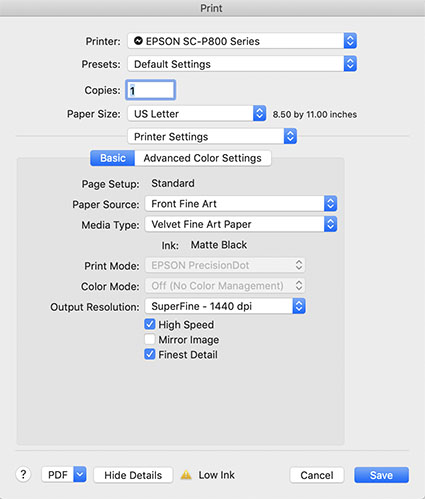
Media Type sets the amount of ink that's used.
Set Your Media Type Correctly
Your printer driver will allow you to set your media type, which controls ink the amount of ink that is sprayed on your paper. Use too much ink and you’ll lose shadow detail. Use too little and your blacks and midtones will appear weak. If you’re using a paper not made by the manufacturer, choose the nearest media type and then adjust its settings with the printer driver’s advanced utilities. (You’ll find this under Advanced Media Control with Epson printers.)
Find my resource on Ink Limit here.

Print test patches to determine when maximum black is achieved and when separation is lost.
Print A Target To Determine How Much To Lighten Shadows
Before you adjust your files for printing precisely determine how much you need to lighten your deep shadows by printing a target. While they vary a little, most media settings lose shadow detail around a value of 96% on a grayscale. If you print patches of values between 100% and 90% you’ll see exactly where you lose shadow detail. Printed results will vary slightly with each different media setting, so you’ll need to adjust files slightly differently for different media.
You can download my targets here.
Next Adjust Your File
.
In this video my father and I share insights into our creative lives and our passion for printing.
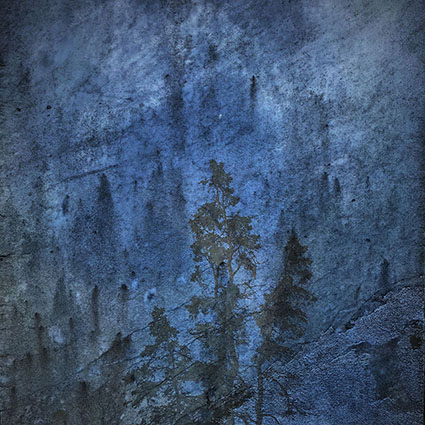
Check your inboxes! My newsletter Insights is out.
This issue features many valuable resources on printing.
Plus a round up of new features in Lightroom and Photoshop.
Sign up here.
Remember, your username is your email. Your password is free.
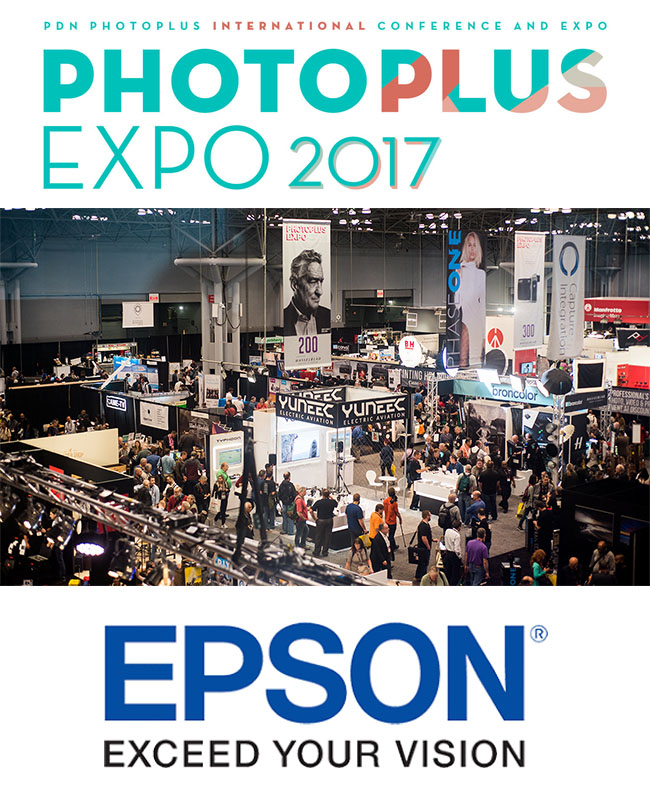
PhotoPlus Expo brings together over 200 of your favorite international brands under one roof. See all the latest imaging products, previews, and more. PhotoPlus offers a wealth of seminars, panels, and reviews. Many manufacturer’s booths offer free seminars.
I’ll be presenting at the Epson booth.
Thursday, October 26
11-11:30 Julianne Kost
12-12:30 Mac Holbert
1-1:30 John Paul Caponigro
2-2:30 Mac Holbert
3-3:30 John Paul Caponigro
4-4:30 Vincent Versace
Friday, October 27
11-11:30 Julianne Kost
12-12:30 Mac Holbert
1-1:30 John Paul Caponigro
2-2:30 Matt Koslowski
3-3:30 Vincent Versace
Saturday, October 28
11-11:30 Matt Koslowski
12-12:30 Vincent Versace
1-1:30 Matt Koslowski
2-2:30 Vincent Versace
John Sexton Celebrates the black and white print.
Learn more in my digital photography and digital printing workshops.
Read more with my online Printing Resources.
View more with my Printing DVD.