Skies
January 1, 2010 | Leave a Comment
Don’t just make the most of the weather, make the weather too!
Here’s a short excerpt from my DVD.
Learn more in my DVD Atmospheric FX.
Learn more in my Fine Art Digital Printing workshops.

What’s Unique About B&W
December 31, 2009 | Leave a Comment
Learn what’s unique about black & white and how to best adjust and print it.
Here’s a short excerpt from my DVD.
Learn more in my DVD Black & White Mastery.
Learn more in my Fine Art Digital Printing workshops.

3 Types of Color
December 30, 2009 | Leave a Comment
Learn new ways of seeing and enhancing color.
Use 3 elements of color (Luminosity, Hue, Saturation) to adjust three types of color (Ideal, Ambient, Synthetic) and craft a unique palette that’s right for your authentic vision.
Here’s a short excerpt from my DVD.
Learn more in my DVD Photoshop Color Strategies.
Learn more in my Fine Art Digital Printing workshops.
Evaluating Histograms
December 29, 2009 | Leave a Comment
Learn which color tools are essential, exotic, or redundant.
Then master the first two.
Here’s a short excerpt from my DVD.
Learn more in my DVD Photoshop Color Tools.
Learn more in my Fine Art Digital Printing workshops.
Blend Modes
December 28, 2009 | Leave a Comment
Uncover the hidden potential in all of your images with the art of selective adjustment.
Here’s a short excerpt from my DVD.
Learn more in my DVD Drawing With Light.
Learn more in my Fine Art Digital Printing workshops.
Test Files
December 27, 2009 | Leave a Comment
Go beyond the limits of color management? Adopt a proofing workflow.
Here’s a short excerpt from my DVD.
Learn more in my DVD The Art of Proofing.
Learn more in my Fine Art Digital Printing workshops.
6 Simple Steps to Good Color Management
December 26, 2009 | 1 Comment
Can sophisticated color management be made simple and practical? Yes!
Here’s a short excerpt from my DVD.
Learn more in my DVD 6 Simple Steps to Good Color Management.
Learn more in my Fine Art Digital Printing workshops.
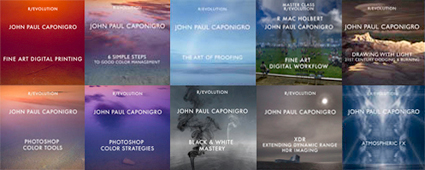
Preview My R/Evolution DVD Series Online
December 1, 2009 | Leave a Comment

You can view over 30 minutes of online training free on my website.
Watch these excerpts from my R/Evolution DVD series.
6 Simple Steps to Good Color Management
The Art of Proofing
Photoshop Color Tools
Photoshop Color Strategies
Black & White Mastery
Drawing With Light – 21st Century Dodging & Burning
Atmospheric FX
Stay tuned for more from my 3 new DVDs,
Fine Art Digital Printing
Fine Art Workflow
Extending Dynamic Range – HDR. Imaging
Learn more in my R/Evolution DVD series.
Learn more proofing techniques in my Fine Art Digital Printing Workshops.
3 New DVDs !
November 30, 2009 | Leave a Comment

3 New DVDs!
Extending Dynamic Range – HDR Imaging
Preorder discounts apply for a limited time only. Save $10.
Read more on Printing in my free Lessons.
Learn more in my Fine Art Digital Printing Workshops.
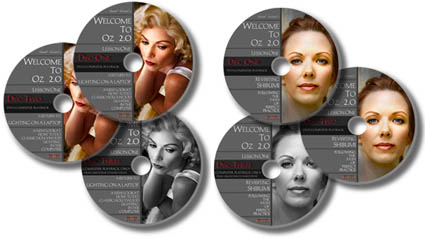
Vincent Versace – Welcome to Oz 2.0 DVD
October 14, 2009 | Leave a Comment

Vincent Versace’s From Oz to Kansas DVD
July 23, 2009 | Leave a Comment

Oz to Kansas 2.0: The Black and White on Black and White Conversions covers advanced black and white conversion techniques.
Plus get free Photoshop actions and a custom Configurator panel to make these techniques fast and easy.
The limited time only preorder price $59.95 (save $10) with free shipping. Expires soon!
Colin Smith – Online Video Tips @ PhotoshopCafe
December 16, 2008 | Leave a Comment

Colin Smith is the force behind PhotoshopCafe a dynamic website/web community where you can also find his high quality training DVDs. Colin also gives 9 useful video tips online – Dotted Lines, Portrait Glow, Straighten Images, Wacom C Panel, Dodge and Burn, Rollover in DW, Connect FTP, Double Glow Text, Text on Cylinder. There free!
See the face behind the tutorials here at NVIDIA’s Speak Visual.com.
Ben Wilmore on HDR on Bert Monroy’s Pixel Perfect
September 1, 2008 | 1 Comment

Ben Willmore showed up as a guest on Bert Monroy’s Pixel Perfect show to do a two-part installment about High Dynamic Range (HDR) photography. In the first installment of the show he covers the basics of shooting for HDR, merging exposures, and tonemapping. In the second installment of the show, he covers postprocessing HDR merges.
First, view it here.
Then check out Ben’s even more detailed DVD HDR Mastery.
If you’ve watched these installments or Ben’s DVD tell others what you think here.
Comment!
Getting Up To Speed On Lightroom 2 – Part 3
August 29, 2008 | 1 Comment

If you’ve viewed this DVD tell others what you think here.
Comment!
R Mac Holbert’s DVD – Nash Editions Master Class
July 27, 2008 | 1 Comment


The Dirty Dozen: Eliminating Common Imaging Mistakes – Mac Holbert’s first DVD is about to be released by Acme Educational.
Mac’s a pioneer in the field of digital printing. He’s also a dear friend. I can’t think of another person I’d rather teach digital printing workshops. We do it twice a year in special workshop sessions sponsored by Epson – The Fine Art of Digital Printing. (We just finished a great five day session at the Hallmark Institute of Photography.) Mac’s presentation on fine art workflow is first rate. I do similar workflow sessions in all of my workshops. We’ll be presenting a session on the topic together at PhotoPlus East this year. We also cover it in our Epson Print Academy sessions. It’s a corner stone of our workshop. And his new DVD covers many of the topics Mac demonstrates during these sessions.
Here’s what you’ll find on his DVD.
“When it come to fine art printing R. Mac Holbert along with Graham Nash started it all. If it was not for them fine art inkjet printing would not be what is today. Simply put Nash Editions is THE name in fine art printing and R. Mac Holbert is the talent behind that name. This DVD is the first of R. Mac Holbert’s Nash Editions Master Class. This is a truly unique opportunity to have access to the knowledge of one of the pioneering innovators of digital imaging.
Have you ever printed an image only to find you’ve overlooked a minor but critical mistake? Or have you made a small print, only to find a larger print shows issues that need to be fixed in Photoshop? Whether you print your own images or send them to a service, this Nash Editions Master Class DVD is an invaluable lesson on eliminating twelve common imaging mistakes. Distilled from 18 years of printmaking experience these elementary mistakes are made routinely, not only by the neophyte, but by the seasoned professional as well. Learning to avoid them will save you time, printing costs and ultimately will enable you to more precisely realize your vision on paper.
Learn how to correct contaminated neutrals with only one layer, doing the work of 4 -5 color correction layers. Learn how mid-tone contrast can add dimension to your images. Get these and other techniques on your workflow checklist, integrate them into your workflow and take your images from the ordinary to the extra-ordinary.”
Topics include …
Destructive Workflow
Oversharpening
Midtone Contrast
Image Alignment
Imprecise Cropping
Bad Masking
Contaminated Neutrals
Unreasonable File Size
Untagged Files
Cross Purpose Layers
Incorrect Layer Stack
File Extension Issues
It’s $39.95 until it ships and $49.95 thereafter.
Check out Mac’s DVD here.
Find out more about The Fine Art of Digital Printing workshop here.
Find out about my The Fine Digital Print workshop series here.
2880 vs 2400 – Gamut Comparisons
July 22, 2008 | Leave a Comment


Today, Mac Holbert and I started teaching The Fine Art of Digital Printing at the Hallmark Institute of Photography in Turners Falls, MA. Epson shipped in new 2880 printers for this special event. Epson’s new 2880 uses UltraChrome K3 with Vivid Magenta. How much does Vivid Magenta expand the gamut? Check out these diagrams – 2D, 3D, and 3D looking at Dmax. The 2400 is in white and the 2880 is in full color. Both are graphing Epson Premium Luster Paper. The graphs indicate warm blues, magentas and greens are where it pays off. Slight increase in Dmax. It’s not a dramatic increase but in specific images (polarized skies and saturated foliage, it can be significant. There are also slight tradeoffs in other areas of the spectrum (wherever the white volume extends beyond the color volume).
Words and pictures can work together to tell a fuller story. These diagrams were made with Chromix’s ColorThink. I use it to graph ICC profiles and compare substrates and to compare inksets. Doing this more clearly illustrates the pros and cons of each.
It’s something I do in all of my color management sessions (like the whirlwind tour of color management participants in the FADP workshop got this morning and the sessions you’ll find on my DVD 6 Simple Steps to Color Management).
Check out my Review of Chromix’s ColorThink used to make these graphs.
Check out Chromix here.
Check out my earlier post on the 2880 here.
Check out the 2880 here.
Check out our workshop the Fine Art of Digital Printing here.
Check out my Fine Digital Print workshop series here.
Check out Hallmark’s post on today’s session.
Color Management & Proofing – Workshops, DVDs, Radio
July 9, 2008 | 4 Comments

We go into the ins and outs of advanced color management in my workshop series The Fine Digital Print. No matter what their level, it helps everyone participating. In my workshop The Fine Digital Print Advanced we take it step by step from concept to practice. In my even more advanced printing workshops The Fine Digital Print Expert and the Fine Digital Print Master we assume a higher level of knowledge and go into what doesn’t work perfectly. Here are a few examples. 1 – LCD monitors are too bright for precise prediction to print. 2 – Photoshop’s softproofing Simulate Paper Color is too aggressive. 3 – Printer drivers overink prints delivering slightly dark prints, typically losing subtle shadow detail. 4 – A majority of users don’t view their proofs and prints in ideal light. The cumulative effect leads many to think they’re doing something wrong (They might or might not be.) or that color management doesn’t work. It does. It just doesn’t work perfectly. And it’s important to know what the limitations are.
In my workshops, seminars, and DVDS, I cover what you can do to overcome these imperfections through proofing and then move on to other issues you can only address through proofing. Traditional photographic printing master John Sexton saw my demonstrations during the Epson Print Academy and remarked that watching them felt like deja vu because while the tools have changed the core concepts remain the same.
It’s been my mission to make color management relatively easy to understand and implement without dumbing it down. It can be done. No one else I know takes a more systematic and thorough an approach to proofing as I do.
I sat down several weeks ago with Scott Sheppard of Digital Photo Radio to talk about key Color Management and Proofing. Scott’s a great guy. Easy to talk with. Asks all the right questions. Scott’s one of the little guys doing big things. Digital Photo Radio is done entirely by one man. But the product is so good it seems like it’s created by an entire media team. I love to see individual entreprenuers go for it and succeed big. Scott’s done that.
Check out the audio cast and find out more about Digital Photo Radio here.
Check out my DVD 6 Simple Steps to Good Color Management here.
Check out my DVD The Art of Proofing here.
Check out free Color Management and Proofing resources on my website here.
Sign up for Insights enews to find out when new content is available here.
R Mac Holbert – New DVD!
July 2, 2008 | Leave a Comment

R Mac Holbert joins the Acme Educational with his DVD series R. Mac Holbert’s “Nash Editions Master Class”. Preorder prices ($39.95 until it ships, $49.95 thereafter) for the first DVD – The Dirty Dozen: Eliminating Common Imaging Mistakes – are available for a limited time only. Order here.
Mac and I have presented the Fine Art sessions of the Epson Print Academy Track 2 together many times. And I was there during the recording of this DVD. Mac’s material just keeps getting better and better. You might have to watch the DVD more than once to get Mac’s subtle dry humor. But, in a flash, you’ll get the no nonsense techniques born out of years of in the trenches that he presents here. I highly recommend it!
Here’s more from the Acme website.
When it come to fine art printing R. Mac Holbert along with Graham Nash started it all. If it was not for them fine art inkjet printing would not be what is today. Simply put Nash Editions is THE name in fine art printing and R. Mac Holbert is the talent behind that name. This DVD is the first of R. Mac Holbert’s Nash Editions Master Class. This is a truly unique opportunity to have access to the knowledge of one of the pioneering innovators of digital imaging.
Have you ever printed an image only to find you’ve overlooked a minor but critical mistake? Or have you made a small print, only to find a larger print shows issues that need to be fixed in Photoshop? Whether you print your own images or send them to a service, this Nash Editions Master Class DVD is an invaluable lesson on eliminating twelve common imaging mistakes. Distilled from 18 years of printmaking experience these elementary mistakes are made routinely, not only by the neophyte, but by the seasoned professional as well. Learning to avoid them will save you time, printing costs and ultimately will enable you to more precisely realize your vision on paper.
Learn how to correct contaminated neutrals with only one layer, doing the work of 4 -5 color correction layers. Learn how mid-tone contrast can add dimension to your images. Get these and other techniques on your workflow checklist, integrate them into your workflow and take your images from the ordinary to the extra-ordinary.
Topics include …
Destructive Workflow
Oversharpening
Midtone Contrast
Image Alignment
Imprecise Cropping
Bad Masking
Contaminated Neutrals
Unreasonable File Size
Untagged Files
Cross Purpose Layers
Incorrect Layer Stack
File Extension Issues
Read my conversation with Mac here.
Find out about the workshops I coteach with Mac here.
Stay tuned for our joint PhotoPlus East seminar Fine Art Workflow.
Vincent Versace – Nikon Capture NX2 DVDs
June 23, 2008 | Leave a Comment
On June 3, 2008 Nikon announced the release of the latest generation of their Raw processing software Capture NX2. Get a virtual tour of Capture NX2, find flash demonstrations of Capture NX2’s innovative Control Point interface, read about the new features, and download a 60-day trial version of Capture NX2 here.
Simultaneously, Vincent Versace announced the release of his 2-DVD set “Unleashing The RAW Power of Capture NX 2“ from Acme Educational. These DVDs will help you can get a headstart on your NX2 workflow. Wednesday, $44.95 preorder prices convert to standard $59.95 prices as soon as Capture NX2 ships. If you’re a Capture NX user order your copy now!
Read Vincent’s blog post on Nikon Capture NX2 here.
Subscribe
Get the RSS Feed-
- Alumni
- antarctica
- Antarctica 2009
- Apps
- Arctic
- Artists
- Artists On Art
- Audio
- Awards
- Books
- Business
- Calendar
- Canon Cameras
- Causes
- Cell Phone
- Cell Phones Inspire Creativity
- climate change
- Collected
- Color
- Composition
- Contests
- Conversations
- Creativity
- Destination
- Disclosure
- Discount
- Drawing
- DVDs
- eBooks
- editing
- environment
- Epson Print Academy
- Equipment
- Event
- Exercises
- Exhibit
- Experiment
- Greenland
- Guest Blog
- huffington post
- iceland
- Images
- influences
- Insights Enews
- Inspiration
- Interviewed
- ipad
- iPhone
- Lecture
- Lighting
- lightroom
- Magazine
- Map
- Masterworks In My Collection
- Media
- Meditation
- Multimedia
- Namibia
- News
- optical illusions
- Packing
- People
- Photographer's Favorite Quotes
- Photographers
- Photographers – Q&A
- Photographers On Photography
- Photographers Video Conversation
- photography
- Photoshop
- Postcards
- Printing
- Published
- Q&A
- Quotes
- r/evolution
- Radio
- Reading
- Requests
- Review
- Reviewing
- Screensaver
- Sculpture
- Seminar
- Sharpening
- Slideshow
- Social Causes
- Social Networks
- Software
- Special Guest
- Special Offer
- Statements
- Storytelling
- Technique
- Technology
- Travel
- Uncategorized
- Video
- Video – Artists
- Video – Creativity
- Video – Lightroom
- Video – Photographers
- Video – Photoshop
- Website
- Welcome
- winners of the day
- Workshops
- Writing
- X-Rite i1Photo Pro
Archives
-
- May 2012
- April 2012
- March 2012
- February 2012
- January 2012
- December 2011
- November 2011
- October 2011
- September 2011
- August 2011
- July 2011
- June 2011
- May 2011
- April 2011
- March 2011
- February 2011
- January 2011
- December 2010
- November 2010
- October 2010
- September 2010
- August 2010
- July 2010
- June 2010
- May 2010
- April 2010
- March 2010
- February 2010
- January 2010
- December 2009
- November 2009
- October 2009
- September 2009
- August 2009
- July 2009
- June 2009
- May 2009
- April 2009
- March 2009
- February 2009
- January 2009
- December 2008
- November 2008
- October 2008
- September 2008
- August 2008
- July 2008
- June 2008
- May 2008
- April 2008
- March 2008
- February 2008
- December 2007
- September 2007
- April 2007
- March 2007
- February 2007
- December 2006
- November 2006
- October 2006
- August 2006
Categories
Blogroll
Topics & Friends
WP Cumulus Flash tag cloud by Roy Tanck requires Flash Player 9 or better.


