New Epson Legacy Papers

EpsonLegacyPapers
“Legacy Papers marry the artistry of revered European paper making with the latest advancements in inkjet coating technology.
Working with the finest paper mills in Germany and France we first specify the type of base required for each of the Legacy papers. Once the base is produced, advanced microporus coatings are applied using modern techniques for the highest quality and consistency.
Only after meeting hundreds of design specifications, while ensuring for a high rate of production consistency for the richest blacks, outstanding color fidelity and smooth tonal transitions, will a paper carry the Epson Legacy name.”
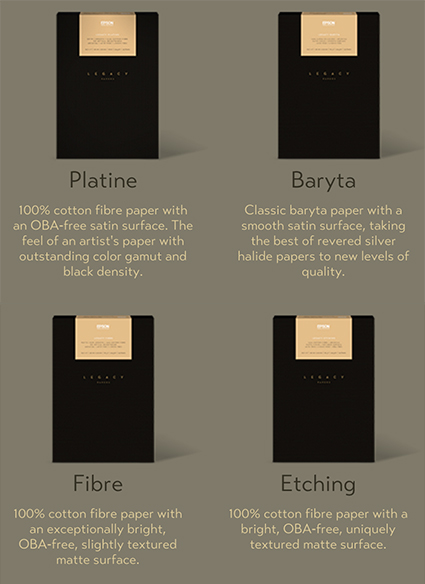
The First Four Epson Legacy Papers

  • Legacy Platine: 100 percent cotton fibre paper with a bright OBA-free, smooth satin finish. With a unique feel of an artistic paper of centuries past, along with an outstanding color gamut, this paper is exceptional for both color and black and white printmaking.
  • Legacy Fibre: 100 percent cotton fibre paper with an exceptionally bright OBA-free, smooth matte finish. With an outstanding black density, this paper is ideal for all types of high-end printmaking.
  • Legacy Baryta: A baryta paper with a white, smooth satin finish, utilizing two barium sulfate coatings. Inspired by the F64 group, this paper takes the best of revered silver halide technology to new levels of quality.
  • Legacy Etching: 100 percent cotton fibre paper with a bright OBA-free, uniquely textured matte finish beloved by artists for centuries. This paper has the feel of traditional etching papers.

Find out more here.

“The combination of Epson Legacy Paper and Epson UltraChrome® HD and HDX pigment ink technology can provide up to twice the Display Permanence Ratings of previous generation inks, according to tests conducted by the Wilhelm Imaging Research, Inc.”
Find out more here.

Watch Me Demo Softproofing & Proofing


Recently on TWIP’s (This Week In Photoshop) The Fix I spoke with Jan Kabili about the power of printing your photographs. Then I demonstrated how to get the best results possible with Softproofing & Proofing practices. Watch this and you’re sure to get better prints in less time with less waste.
Find more useful videos on TWIP’s The Fix here.
Read more with my free Color Management and Printing resources.
View more in my DVD series R/Evolution.
Learn more in my digital photography and digital printing workshops.

The Epson P800 – Good Things Are Coming

EpsonP800
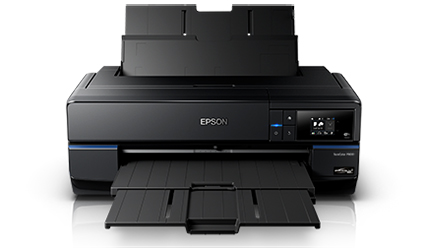
“Epson recently announced the highly anticipated SureColor® P800 printer, representing a new benchmark in photographic print quality. Designed for professional use, the SureColor P800 is a full 17” wide borderless printer with unique Epson® MicroPiezo® AMCTM printhead technology. Leveraging an all-new Epson UltraChrome® HD eight-color pigment ink set, the SureColor P800 is capable of producing the next generation of color and black-and-white prints that will inspire us all.”
An optional Roll Paper Adapter, for panoramic prints up to 10’ long, will be available for the P800.
Read more about the P800 here.
This news brings two milestones; black density and longevity.
Initial color tests suggest that the new printer / ink technology is capable of delivering a maximum black (dmax) exceeding 2.8 (previously 2.5). By comparison selenium toned silver gelatin is close to 2.4.
And …
Initial longevity test suggest that longevity is improved – dramatically.
“WIR Display Permanence Ratings for black and white prints made with UltraChrome HD inks using Epson’s “Advanced Black and White Print Mode” will likely exceed 400 years.” “The new UltraChrome HD pigment inks are also expected to have WIR Album and Dark Storage Permanence Ratings well in excess of 200 years.”
“With the increased Dmax, wider color gamut, and reduced metamerism provided by the new Epson UltraChrome HD pigment inks – which taken together serve to significantly enhance the visual brilliance of both color and black and white images – the increased overall permanence of the prints represents a significant contribution to photography,” said Henry Wilhelm, founder and director of research at Wilhelm Imaging Research.
Read more about the P800 permanence ratings here.
Yes! You can test the P800 in my digital printing workshops.
Learn more in my digital printing workshops.

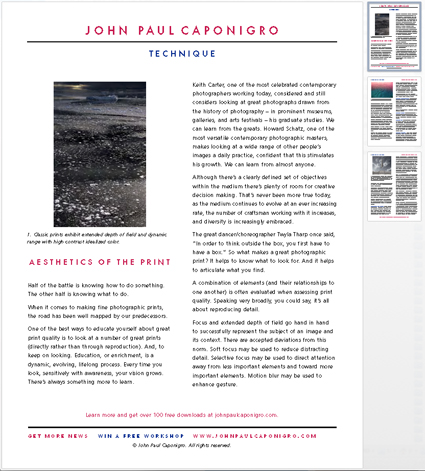
Free PDF – The Aesthetics Of Photographic Prints

AestheticsOfPrintPDF
Half of the battle is knowing how to do something. The other half is knowing what to do. When it comes to making fine photographic prints, the road has been well mapped by our predecessors. One of the best ways to educate yourself about great print quality is to look at a number of great prints (directly rather than through reproduction). And, to keep on looking. Education, or enrichment, is a dynamic, evolving, lifelong process. Every time you look, sensitively with awareness, your vision grows. There’s always something more to learn.
A combination of elements (and their relationships to one another) is often evaluated when assessing print quality. Speaking very broadly, you could say, it’s all about believably reproducing detail. Focus, depth of field, high dynamic range, tonality, color balance, elimination of process artifacts all play a role. So do the selection of appropriate materials, scale, presentation and contextualization. There’s a lot more to it than you might think at first and though there are no hard and fast rules there are conventions everyone should be mindful of. There’s also a lot of room for creativity.
All of this is expanded and detailed in this free PDF – The Aesthetics Of Print.
Subscribe to Insights enews and download it free.
Learn more in my digital photography and digital printing workshops.

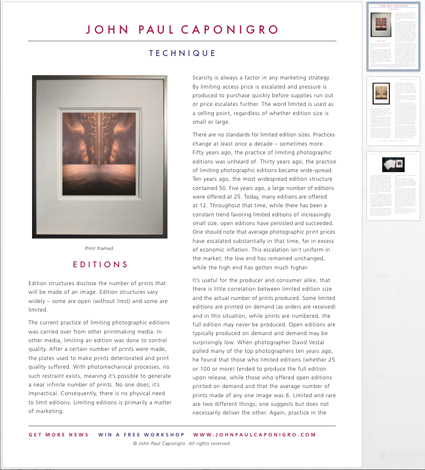
Free PDF – All About Limited Editions

LimitedEditionsPDF
Edition structures disclose the number of prints that will be made of an image. Edition structures vary widely – some are open (without limit) and some are limited.
There are no standards for limited edition sizes. Practices change at least once a decade – sometimes more. Fifty years ago, the practice of limiting photographic editions was unheard of. Thirty years ago, the practice of limiting photographic editions became wide-spread. Twenty years ago, the most widespread edition structure contained 50. Ten years ago, a large number of editions were offered at 25. Today, many editions are restricted to 12 or fewer. Tomorrow’s edition structures will likely change again. Throughout that time, while there has been a constant trend favoring limited editions of increasingly small size, open editions have persisted and succeeded.
One should note that average photographic print prices have escalated substantially in that time, far in excess of economic inflation. This escalation isn’t uniform in the market; the low end has remained relatively unchanged, while the high end has exploded.
Should you limit your editions?
Should you buy only limited edition photographs?
Before you decide, find out more in this free PDF.
Subscribe to Insights enews and download it free.
Learn more in my digital photography and digital printing workshops.

Why Make Prints ?

WhyMakePrints

This is an excerpt from my article on Digital Photo Pro.

Why Make Prints ?
Making prints does so many things for your images. How many things? Let me count the ways …
They’re …
Sensual
Prints enhance your images with material qualities and the associations they bring with them.
Sizeable
Prints define the scale of your images.
Durable
Historically, it’s the images that were printed that survived.
Salable
Because they’re physical, prints are easily bought and sold.
Exclusive
Images in print are more rare, as well as less accessible.
Presentable
Prints encourage images to be viewed in different ways.
What Making Prints Can Do For You
When you make a print, you consider your images more carefully for a longer period of time and often multiple times. This adds up. It’s quite likely that along the way you’ll find many ways to improve your images. Repeat this process many times, and you’ll find that your vision as a whole will improve.
Read more on Digital Photo Pro.
Learn more in my digital photography and digital printing workshops.

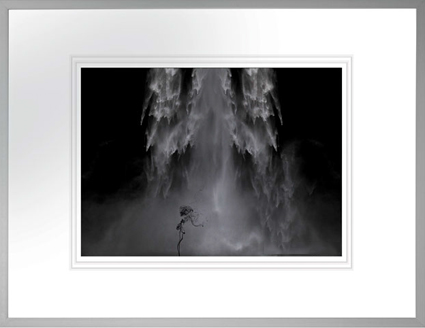
Suffusion XXII – The Making Of The Print


I’m having a great time printing this series of images!
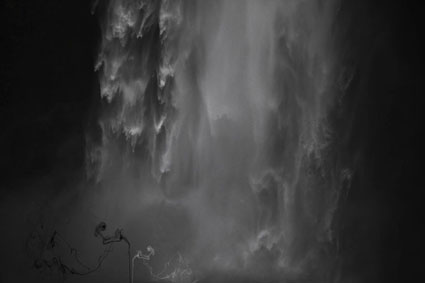
At first glance, they look like classic black and white images. In reality, they’re full color captures of a near neutral subject, processed and printed as color images. The trace amounts of color from the original subject make a very subtle but meaningful addition to the final image and print.
The trace amounts of color in the image are so subtle, I wasn’t sure which color management options would yield the best printed results; shadow detail, gradation, neutrality and graybalance all play major roles.
To get the final prints today, I tested multiple printer color management routes (Photoshop, Printer, Printer Adv B&W)(my ImagePrint tests are pending). Using Printer color management  for color offered the results I was looking for – not Photoshop, which clipped deep shadow detail and not Printer Adv B&W which rendered warm grays by default and cool toning solutions added more cool toning to the highlights than the shadows making the prints look like they carried a faint color cross).
They’re really touchy images. I found out how touchy when I went from 4×6 proofs to 11×14 prints, which when enlarged looked slightly lighter and lower contrast. A contrast curve for enlargement solved this.
At larger scale the noise became an issue, which I’m sleeping on. On the one hand, the subject is made of particles of water, which you can see when you are there. On the other hand it looks distracting to people who don’t know this. Water blurs with motion but the motion is frozen in these very fast exposures. I polled other people around me (including my father). Then I settled on an unexpected solution. I let some of the noise come through only in the areas of greatest focus, drawing slightly more attention to them. (Some noise can makes images appear sharper.)
There was a another surprise. I tested the images on glossy paper (Epson Exhibition Fine Art Paper). The extra depth in the blacks made another improvement in the image, so much so that it was worth the trade off for the soft surface of the matte paper. I made a similar test with a related series, Fumo, and didn’t make this choice. But here it was clear. This is the first time I’ve made my final prints on glossy paper.
I made these images while scouting my 2011 Focus On Nature workshop with Ragnar Th Sigurdsson and Arthur Meyerson. Arthur and I, two colorists who love the colors black gray and white and talk about them as colors.
I’m looking forward to returning to Iceland (and this waterfall) this August to lead a workshops again for Focus On Nature with +Einar Erlendsson , +Ragnar Th. Sigurdsson and +seth resnick .  +Arthur Meyerson Arthur Meyerson will join us at the end of our Iceland workshop for our Arctic Voyage workshop/cruise from Longyearben to Greenland and finally back to Iceland.
We have a few more spaces left our Iceland workshop.
There’s one space left in our Greenland workshop.
There are a two more spaces in my Fine Digital Print Advanced workshop.
Learn more in my digital photography and digital printing workshops.

12 Reasons To Use Colorbyte's Image Print RIP


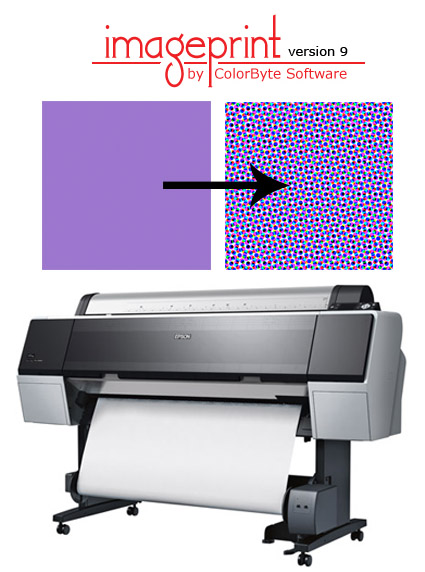
Colorbyte’s ImagePrint RIP’s isn’t for everyone. It costs roughly half the cost of a printer. But for many it’s a trusted ally that helps them achieve great print quality with a minimum of effort. ImagePrint simplifies printer color management without sacrificing quality for those who aren’t experts and increases productivity for high volume printers, like service bureaus.
Here are 10 reasons to use ImagePrint.
1 – Easier color management (auto sets media type with selection of profile, auto resamples)
2 – Custom profiles and ink recipes for third party substrates
3 – Consistent color (no System, Adobe, Epson variances) – particularly important for service bureaus
4 – True postscript for sharper vector graphics and text
5 – No upper length limit
6 – Light temperature specific profiles
7 – Useful Saturation rendering intent
8 – Cross toning for black and white images with improved separation routines for better dmax, greater longevity, lower metamerism
9 – Auto device dependent resampling to get to perfect resolution (360) without additional sharpening
10 – Better shadow detail control
11 – Drive multiple printers simultaneously
12 – Print from multiple networked computers
13 – Page layouts (but you could use Lightroom)
Is ImagePrint right for you?
If these 10 reasons justify the cost for you.
If you’re tempted to use it try it in its free demo mode or purchase it with their 30 day money back guarantee.
Learn more about ImagePrint here.