Image by Ragnar th Sigurdsson.

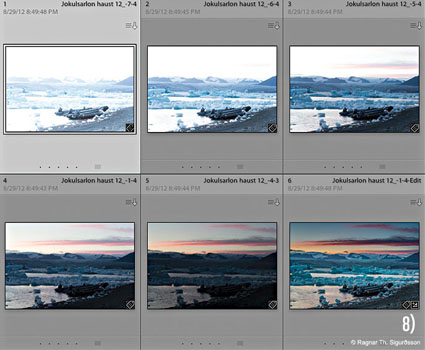
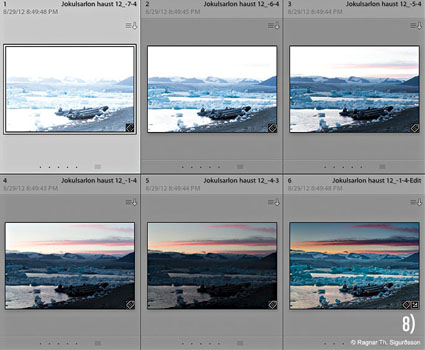
To one degree or another, we’ve all been underexposing our digital photographs, even if we’ve been exposing to the right (ETTR). Imagine a day when every ƒ-stop had as much data as the lightest ƒ-stop. It’s here now. Here’s how.

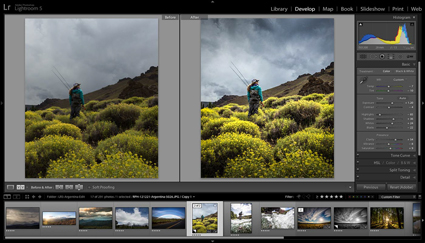
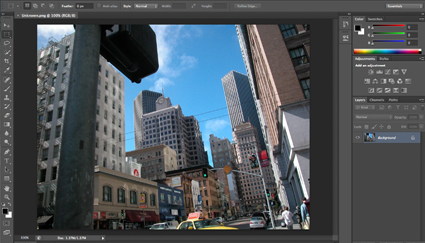
Make a series of bracketed exposures where each ƒ-stop in a scene is placed in the far right of the histogram or recorded with half the data in a single digital file. Combine all the exposures into a single 32-bit file using either the Merge To HDR Pro feature in Adobe Bridge/Photoshop or Lightroom. Save or import this 32-bit file into Lightroom (4 or higher) and apply adjustments with its Develop module to avoid many common tone-mapping artifacts.

You may be surprised to find that you’ll benefit from using this technique even for images with significantly more restrained dynamic ranges.

Read more on Digital Photo Pro.

Learn more in my digital photography and digital printing workshops.

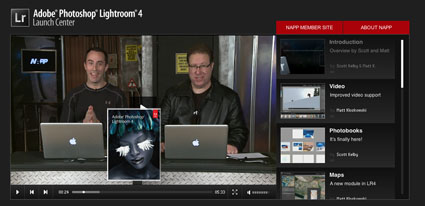
You’ll find 12 helpful videos to inform you about Lightroom’s latest evolution at NAPP’s Adobe Lightroom 4 Lightroom Launch Center.

Topics covered include … Video – Photobooks – Maps – Enhancements – Develop – Print Module – Softproofing – Selective – DNG – Email … and more.

It’s all free!

As always, Kelby and Koslowski make learning easy and fun.

View them here.

View more on Kelby Training.

Learn more in my digital photography and digital printing workshops.


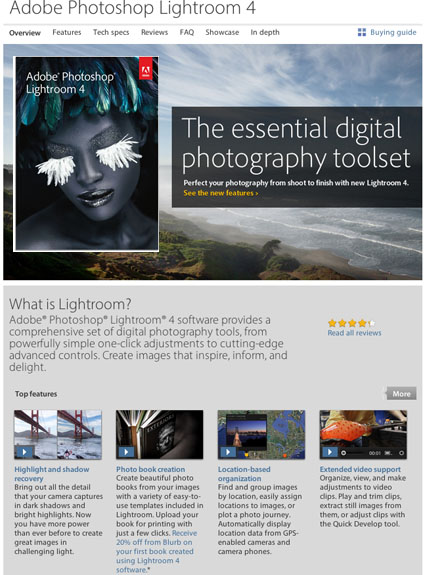
Adobe Lightroom 4 is now available.

It’s a must upgrade. There are lots of reasons to upgrade. But you only need one, it will improve shadow and highlight rendition for every image you process with it.

If you haven’t bought Lightroom major price drops make now an ideal time.

Find out more about Lightroom 4  here.

ACR 6.7 is available free for download now.

It’s required for full compatibility between LR4 and PS CS5.

It’s also the first to support Raw files from Canon’s 5D MKIII.

Use Blurb’s plug-in for Adobe® Photoshop® Lightroom® to export selected photos from your Lightroom library directly into Blurb Bookify™ to make a simple photo book online. It’s great for quick books or proofs.

Find out more here.

Julianne Kost offers excellent tips for navigating Lightroom efficiently.

View more Lightroom 3 and CS5 Videos here.

Learn more in my digital photography workshops.

Julieanne breaks down the differences and points out the advantages of using virtual copies and snapshots in Lightroom 3. Since both features were designed for specific tasks, discovering what they do best will allow you to take advantage of each of their strengths.

Find more Adobe online training here.

Learn from Julianne live before our 2011 Iceland workshops.

Learn more in my digital photography workshops.

Julieanne Kost explains how changes made to photographs are saved automatically to the Lightroom Catalog, how to use both the “Save Metadata to Files” command, as well as the “Automatically write changes to XMP” Catalog Setting to push changes made to photographs from the catalog into individual files (or sidecar files) so that they can be read and utilized within additional applications such as Adobe Bridge.

Find more Adobe online training here.

Learn from Julianne live before our 2011 Iceland workshops.

Learn more in my digital photography workshops.

Adobe Evangelist Julieanne Kost answers one of the most commonly asked questions “If should you use a single catalog for all of your photographs or if you should you use multiple catalogs?”. As a general rule, she recommends that you use as few as possible, but discusses when using multiple could be beneficial.

Find more Adobe online training here.

Learn from Julianne live before our 2011 Iceland workshops.

Learn more in my digital photography workshops.

Adobe Evangelist Julianne Kost demonstrates the advantages of working with and archiving to the DNG raw file format over proprietary raw file formats as well as choosing which tool to use to convert your files as you move through your workflow.

Find more Adobe online training here.

Learn from Julianne live before our 2011 Iceland workshops.

Learn more in my digital photography workshops.

adobeproductupdates

Adobe released multiple free updates today.

Camera Raw 6.2
Lightroom 3.2
Dreamweaver CS5 11.0.3
Bridge CS5 4.0.3

Download them here.

keep looking »

Subscribe

Get the RSS Feed  

Subscribe by Email


    Categories

  • Archives

  • Blogroll

    Topics & Friends