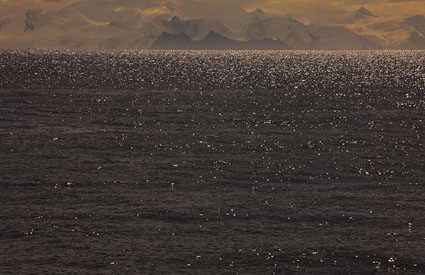
The Power of Cartoons – Patrick Chappatte
October 31, 2010 | Leave a Comment
In a series of witty punchlines, Patrick Chappatte makes a poignant case for the power of the humble cartoon. His projects in Lebanon, West Africa and Gaza show how, in the right hands, the pencil can illuminate serious issues and bring the most unlikely people together.
Seattle ASMP Seminar – Fine Art of Digital Printing
October 30, 2010 | Leave a Comment
Mac Holbert and I concentrate on Fine Art Workflow in our Epson sponsored seminar today in Seattle for ASMP.
Free giveaways include Adobe CS5, NIK HDR Efex Pro, Pixel Genius Photo Kit Sharpener Pro, OnOne Plug In Suite, X-Rite Color Passport, and more.
Find out more about the event here.
View our DVD content here.
Read more in my digital printing lessons.
Learn more in my digital printing workshops.

How Many Photographs Actually Get Printed ?
October 29, 2010 | Leave a Comment

300 million are photos taken each day generating over 100 billion a year. While 20 years ago 10% of photographs made were printed, today less than 1/10 of 1% are ever printed! Historically, what’s printed lasts; what’s not, doesn’t. Has this changed?
Find out about my digital prints here.
Find out more about printing in my free Digital Printing Lessons.
Learn more about printing in my Digital Printing Workshops.
25 Photographs Every American Should Know
October 28, 2010 | Leave a Comment

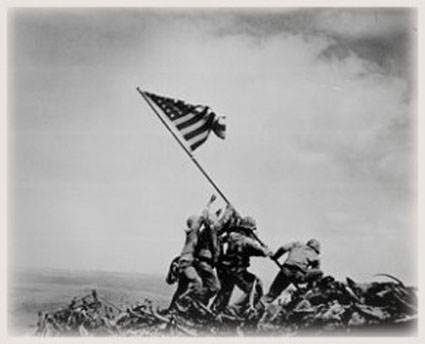
Since it’s invention, photography has played an important role in history. It not only records history, it also has its own history. America knows itself in part through photographs. So what are the most important American photographs?
Here are the top 25 according to Mastersdegree.net.
What other photographs would you include?
Continuity
October 27, 2010 | Leave a Comment

Continuity. Every screenwriter needs to create it. Every storyboard needs to interpret it. Every director needs to guide it. Every editor needs to refine it. If you’re a still photographer, you may be called to do all of these things.
Continuity lies at the heart of the art of storytelling. The types of images selected and the transitions made between images presented in groups can be powerful tools for visual communication. Sequences can provide useful comparisons and contrasts between separate images and their contents. They set a pace and rhythm for looking. Carefully orchestrated they can create the illusion of moving in time forward or backward, linearly or non-linearly. They can be used in extremely creative ways. The best sequences make images clearer, more meaningful, and more moving.
Photographers can use continuity to guide and structure initial explorations on site; use a storyboard as a checklist to make sure no angle goes uncovered. Photographers can use continuity to find missing gaps or resolve challenging transitions in ongoing projects; update a storyboard and find the out what you’ve got too much of and what you don’t have enough of or find a bridges to connect disparate images. Photographers can use continuity to edit, sequence, and present existing work more effectively; fine tune a story in sophisticated and compelling ways; there are many possible solutions.
There are many classic strategies for sequencing images and creating transitions between them.
Persistence
Pans
Zooms
Fades
Numbers
Cuts
Include continuity in your work and you’ll find you’ll be able to solve many more visual challenges in many more ways and make the reception of your work more effective and powerfully felt. Once you understand what the many possibilities are and how they work, you can be extremely creative with them. Some artists have even been celebrated more for their use of continuity than their singular images. Continuity is so powerful that it can be an art in and of itself.
Learn more about storytelling here.
Learn more in my digital photography workshops.
Reduce Noise With Dark Slides
October 26, 2010 | 1 Comment
Some noise is random; some noise is fixed. Hot-pixel noise is fixed. What are “hot pixels”? Photosites on digital sensors that generate brighter information faster than their neighbors. Hot pixels get brighter at higher ISOs, with longer exposures, and in warmer temperatures. You can map where hot pixels are and exactly how bright they get under specific conditions with a dark slide. Then you can use a dark slide to drop out fixed “hot-pixel” noise with a simple postprocessing technique in Photoshop.
To make a dark slide, simply make a separate exposure made at the same ISO, exposure time and temperature as the image you intend to use it with. Exposure of what? Darkness. Leave your lens cap on.
To use a dark slide in Photoshop, open the dark slide and the image you’d like to use it with and drag and drop the dark slide into that image file, holding the Shift key to make sure it’s precisely registered (wait to crop or rotate an image until after this is accomplished). Change the blend mode of the dark-slide layer to Difference and watch the hot-pixel noise vanish.
Learn more about making and using dark slides on Digital Photo Pro.
Learn more in my digital printing workshops.

Reduce Noise With Multiple Shots
October 25, 2010 | Leave a Comment
Got noise in one exposure? Make a bunch of exposures and watch the noise disappear.
You can reduce noise in an image by combining multiple exposures of the same composition in Photoshop. Photoshop can search for the differences between the separate exposures and then blend them, keeping what stays the same and eliminating what changes. Random noise between separate exposures of the same composition will be substantially, even dramatically, reduced or disappear altogether. (This technique won’t eliminate fixed noise, hot pixels, or column and row noise. There are other techniques for that, like using dark slides.)
You’ll find having this option will greatly reduce any reluctance you have toward using high ISOs. This means two things. You’ll be able to make images in lighting situations you thought you couldn’t, and you’ll be able to make handheld exposures in conditions you ordinarily wouldn’t be able to without severely compromising quality.
So how do you do this? Use the following steps.
1. Shoot multiple exposures.
Try to minimize camera motion as much as possible. It’s not necessary to use a tripod, but it’s helpful2
2. In Photoshop, go to File > Scripts > Load Files into Stack.
3. Click Browse and select the exposures to be used in the Stack and check Attempt to Automatically Align Source Images and Create Smart Object after Loading Layers.
This will create a single Smart Object from the multiple exposures. Double-clicking on this Smart Object will allow you to see the layers separately.
4. Go to Layer > Smart Objects > Image Stack Mode > Median to blend the separate exposures.
You’ll see that the noise is re-duced substantially.
5. Optionally, compare Image Stack Mode > Mean.
This works best for exposures containing no movement.
Read more about this technique at Digital Photo Pro.
Learn more in my digital printing workshops.
?The Poetics of Pictures? – Chris Orwig
October 24, 2010 | Leave a Comment
Find out more about Chris Orwig here.
Find more of my favorite TED videos here.
Make Your Own Magazine With MagCloud
October 23, 2010 | Leave a Comment
Make electronic or print on demand magazines with MagCloud.
Find out more about MagCloud here.
Find my design resources here.
Only 9 Spaces Left in Antarctica 2011 Workshop
October 22, 2010 | Leave a Comment
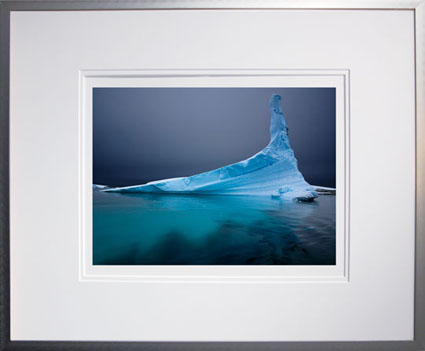
There are only 9 spaces left in our Antarctica 2011 workshop. We expect this workshop to sell out next week so if you want to participate register today.
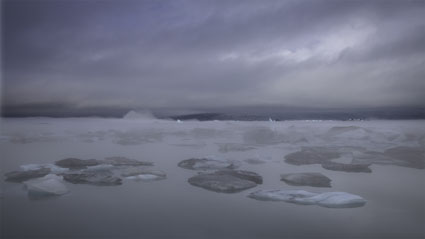
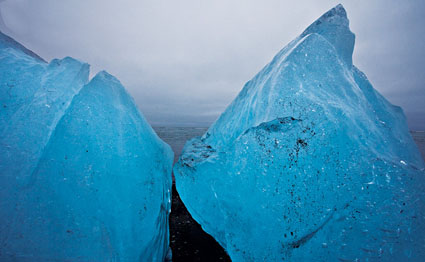
November 29 – December 10, 2011 we’ll explore the highlights of the Antarctic peninsula – Deception Island, Half Moon Island, Neko Harbor, Paradise Bay, Lamaire Channel, Plenneau Bay (the iceberg graveyard), and more.
The workshop will be lead by world renowned photographers – John Paul Caponigro, Seth Resnick, Andy Biggs, with special guests Eric Meola and Arthur Meyerson, and surprise new guest David Duchemin.
Learn more about this once in a lifetime opportunity here.
keep looking »Subscribe
Get the RSS Feed-
- Adventures
- Alumni
- Antarctica
- Antarctica 2009
- Apps
- Audio
- Books
- Business
- Calendar
- Canon Cameras
- Causes
- Cell Phone
- climate change
- Collected
- Color
- Composition
- Contests
- Conversations
- Creativity
- Destination
- Disclosure
- Discount
- Drawing
- DVDs
- eBooks
- Editing
- Environment
- Epson Print Academy
- Equipment
- Event
- Exercises
- Exhibit
- Experiment
- Exposure
- Green Actions
- Greenland
- Guest Blog
- Huffington Post
- iceland
- Images
- Influences
- Inspiration
- Interviewed
- iPad
- iPhone
- Lecture
- Lighting
- Lightroom
- Magazine
- Map
- Masterworks In My Collection
- Media
- Meditation
- Multimedia
- Namibia
- News
- Optical Illusions
- Packing
- People
- Photographer's Favorite Quotes
- Photographers
- Photographers – Q&A
- Photographers On Photography
- Photographers Video Conversation
- photography
- Photoshop
- Postcards
- Printing
- Published
- Q&A
- Quotes
- R/Evolution
- Radio
- Reading
- Requests
- Review
- Reviewing
- Science
- Screensaver
- Sculpture
- Seminar
- Sharpening
- Slideshow
- Social Causes
- Social Networks
- Software
- Special Guest
- Special Offer
- Statements
- Storytelling
- Technique
- Technology
- The Making Of The Print
- The Stories Behind The Images
- Travel
- Uncategorized
- Video
- Video – Artists
- Video – Creativity
- Video – Lightroom
- Video – Photographers
- Video – Photography
- Video – Photoshop
- Video – Quick Tips
- Website
- Winners Of The Day
- Workshop Giveaways
- Workshops
- Writing
- X-Rite i1Photo Pro
Archives
-
- June 2013
- May 2013
- April 2013
- March 2013
- February 2013
- January 2013
- December 2012
- November 2012
- October 2012
- September 2012
- August 2012
- July 2012
- June 2012
- May 2012
- April 2012
- March 2012
- February 2012
- January 2012
- December 2011
- November 2011
- October 2011
- September 2011
- August 2011
- July 2011
- June 2011
- May 2011
- April 2011
- March 2011
- February 2011
- January 2011
- December 2010
- November 2010
- October 2010
- September 2010
- August 2010
- July 2010
- June 2010
- May 2010
- April 2010
- March 2010
- February 2010
- January 2010
- December 2009
- November 2009
- October 2009
- September 2009
- August 2009
- July 2009
- June 2009
- May 2009
- April 2009
- March 2009
- February 2009
- January 2009
- December 2008
- November 2008
- October 2008
- September 2008
- August 2008
- July 2008
- June 2008
- May 2008
- April 2008
- March 2008
- February 2008
- December 2007
- September 2007
- April 2007
- March 2007
- February 2007
- December 2006
- November 2006
- October 2006
- August 2006
Categories
Blogroll
Topics & Friends
WP Cumulus Flash tag cloud by Roy Tanck requires Flash Player 9 or better.