Influences – Four Nudes
April 23, 2012 | Leave a Comment |
Sometimes you find your own voice through observing your responses to other people’s work.
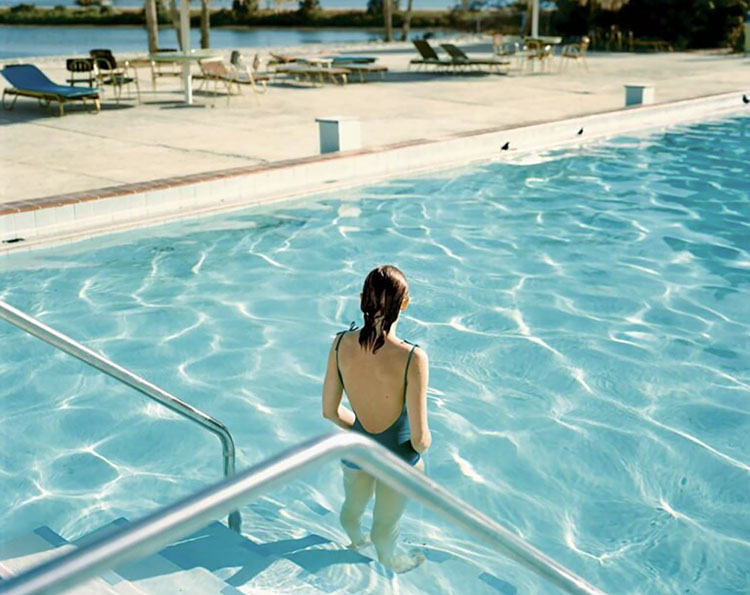
One of my visual journals is a collection of images that I appreciate. When you bring enough images together new patterns emerge. This was certainly the case for me when I sifted through my favorite photographs of nudes and found a thread that tied together works by Jerry Uelsmann, Emmet Gowin, Harry Callahan, and Ruth Bernhard. All four of the photographs I had selected used double exposure to merge the figure with the landscape. It wasn’t that these works were typical of each artist’s work; Jerry Uelsmann who would be best know for this kind of work offers many such images; Harry Callahan was highly experimental and offered only a handful of these kinds of treatments; Ruth Berhard produced fewer; Emmet Gown only produced even fewer. What had been revealed through the process of creating this collection was my own interest in a specific kind of imagery and a particular theme.
Overtly stated in my own photographs of nudes in varying degrees of transparency, the theme of man and nature as one runs through all of my work. Whether subtly or dramatically, directly or indirectly, I’m interested in all types of imagery that challenges conventional notions of separateness and offer a vision of unity.
What shared themes can you identify when observing your own influences?
Read more about my influences here.
Earth Day 2012
April 22, 2012 | Leave a Comment |
It’s Earth Day 2012!
Find out more about Earth Day here.
The first Earth Day on April 22, 1970, activated 20 million Americans from all walks of life and is widely credited with launching the modern environmental movement. The passage of the landmark Clean Air Act, Clean Water Act, Endangered Species Act and many other groundbreaking environmental laws soon followed. Growing out of the first Earth Day, Earth Day Network (EDN) works with over 22,000 partners in 192 countries to broaden, diversify and mobilize the environmental movement. More than 1 billion people now participate in Earth Day activities each year, making it the largest civic observance in the world.
But Earth Day Network does not stop there.
Why I Must Speak Out About Climate Change – James Hansen
April 21, 2012 | Leave a Comment |
Top climate scientist James Hansen tells the story of his involvement in the science of and debate over global climate change. In doing so he outlines the overwhelming evidence that change is happening and why that makes him deeply worried about the future.
James Hansen has made key insights into our global climate and inspired a generation of activists and scientists.
Find resources on climate change recommended by top scientists here.
Creative Sharpening With NIK’s Viveza and ColorEfex Pro
April 20, 2012 | Leave a Comment |
Both NIK’s Viveza and Color Efex Pro offer useful additions to a digital artist’s set of detail enhancement tools. Viveza provides Structure while Color Efex Pro provides Tonal Contrast. Consider them both useful variations of the types of effects you can produce with Photoshop’s High Pass filter. So what specifically are the visual differences?
Like Photoshop’s High Pass filter, Viveza’s Structure provides a single slider but offers more options with the inclusion of negative values for soft focus effects. In contrast to High Pass, Structure enhances contours with a line that is not as pronounced as Unsharp Mask (Structure is almost incapable of producing artificially hard contouring.) and thinner than High Pass (Structure can’t be used for enhancing planar contrast like high values of High Pass.). Structure accentuates texture somewhat, which can enhance noise as well as detail, but not as much as Unsharp Mask. When Structure is applied, luminosity contrast increases, more so in shadows than in highlights where very high values stop just short of compromising shadow detail. Think of Structure as occupying the visual territory that lies between Unsharp Mask and High Pass.
Color Efex Pro’s Tonal Contrast offers the most control with four sliders; Highlight Contrast, Midtone Contrast, Shadow Contrast, and Saturation. Tonal Contrast is less like Photoshop’s Unsharp Mask and more like High Pass with a touch of Shadows/Highlights thrown in for good measure. Particularly excellent at enhancing highlight detail, Tonal Contrast can go far beyond Photoshop’s Shadows/Highlights and produces more contour targeted effects similar to NIK’s Structure. If used aggressively Shadow Contrast can run the risk of obscuring shadow detail. Highlight Contrast and Midtone Contrast accentuate noise far less than Structure, but this is not true of Shadow Contrast. Tonal Contrast’s greatest strength is its ability to target specific ranges of tone with only lesser effects in adjacent tonal ranges. In the final analysis, Tonal Contrast produces detail enhancement effects that are similar in many ways to processing files with HDR algorithms.
NIK’s algorithms are different than Photoshop’s the so they produce a different look and feel. What could be more important in creative sharpening? Add NIK’s effects to Photoshop’s Unsharp Mask and High Pass and you can choose to play detail in your images with a solo, duet, trio or quartet.
Get 15% off NIK all products with this code – JPCNIK.
Read more about digital sharpening here.
Learn more in my digital photography and digital printing workshops.
Vincent Versace’s Favorite Quotes
April 16, 2012 | Leave a Comment |
Vincent Versace shares his favorite quotes.
This one’s my favorite.
“Stop taking pictures. Be taken by your pictures.” - Ernst Haas
Which is your favorite?
Read his collection of quotes here.
Visit Vincent Versace’s website here.
Lecture Today at CPA – Carmel CA
April 14, 2012 | 1 Comment |
I’ll be presenting a free lecture sponsored by Canon today at 2pm hosted by the The Center for Photographic Art in Carmel, California.
In this two hour event I’ll present a series of short lectures including a version of my TED talk You’re More Creative Than You Think You Are (above).
Find out more about the event here.
Learn more in my workshop Illuminating Creativity.
NAPP Photoshop CS6 Beta Launch Center
April 12, 2012 | Leave a Comment |
The Photoshop Guys at NAPP put together 20 new videos on Photoshop CS6.
They’re all free!
Learn more in my digital photography and digital printing workshops.
Free Lecture Tonight at BHSU South Dakota
April 11, 2012 | Comments Off |
I’ll be presenting a free lecture sponsored by Canon tonight at 7pm hosted by the Black Hills State University in Spearfish, South Dakota.
In this two hour event I’ll present a set of separate lectures including an extended version of my TED talk You’re More Creative Than You Think You Are (above).
Find out more about the event here.
Learn more in my workshop Illuminating Creativity.
Free Desktop Calendar – April
April 10, 2012 | Leave a Comment |
My free monthly desktop calendar for April features an image from Iceland.
Mobile Retouching Wizardry At Your Fingertips With App Touch Retouch
April 9, 2012 | Leave a Comment |

The iPhone app Touch Retouch performs the kind of stunning magic that first appeared in Adobe Photoshop only a few years ago. Adobe introduced this type of instant retouching based on pattern recognition under the name of Content Aware Fill. Now a similar technology is available for smartphone photography. You can also use the Clone Stamp tool to copy specific information from one part of an image to another, either to cover over an unwanted element or duplicate it.
The Isenheim Altarpiece – Matthais Grunewald
April 8, 2012 | Leave a Comment |
Despite a challenged relationship with the church, I still find the content in the Bible and the good acts it inspires extremely inspiring. I had strong spiritual feelings as a very young child and they’re still with me today. Many works of art inspired me, none more than Matthais Grunewald’s Isenheim Altarpiece. It’s a complex masterpiece. Two panels in particular mean a great deal to me. The Resurrection epitomizes the word beatific – transcendently wise, compassionate and fulfilled. The Temptation of St Anthony is a riveting portrayal of a supreme test of that state and how it can survive and even be strengthened by confrontations with the darkest negativities.
I see images like Grunewald’s Isenheim Altarpiece and I feel called to try and rise to some small measure of this greater state of being. Achieving this depth of perspective and strength of expression is a primary goal of my life/art. For me, making art is a call to learn and put that learning into practice.
Here’s a link to an good post on Grunewald’s Isenheim Altarpiece.
Learn more about the Isenheim Altarpiece on Wikipedia.
Learn more about Mathais Grunewald on Wikipedia.
I Love Color
April 6, 2012 | 1 Comment |
I love color. I love it because it’s exciting and energizing. I love it because it’s physical and sensual. I love it because it’s emotional and expressive. I love it because it’s interesting – scientifically, historically, socially, psychologically. I love color because you can look at it literally, abstractly, or symbolically. I love color because it has a rich history and diverse cultures and people have done such different things with it, but somehow I can connect with most of the things they’ve done with it, even if I don’t have the same culture or language. I love color because it’s a language that we can all do so much with.
Do you love color too?
What will you do with color today?
(Don’t think for a second that I don’t like black and white or gray; they’re some of my favorite colors!)
Read / view more on color theory here.
Read / view more on color psychology here.
Recent iPhone Photographs
April 5, 2012 | 1 Comment |
Smart phone photography is a great way to stimulate your creativity and explore different ways of thinking visually. On a recent road trip I collected many images during moments in between events. I consider these experiments or sketches rather than finished images but the discoveries I make images more casually clearly inform the finished images I make. Simply playing visually helps me become more versatile. And it’s fun!
What role does smart phone photography play in your creative process?
Find my iPhone photography resources here.
Learn more in my digital photography and digital printing workshops.
PhotoShelter’s Guide To Selling Fine Art Photography
April 4, 2012 | Leave a Comment |
There is no definitive guide to selling fine art but this one offers useful advice from diverse perspectives.
“Packed with actionable tips, Selling Fine Art Photography delivers rare insights into what it takes to sell photography in galleries and online. Experts weigh the pros and cons of online versus offline galleries and suggest how to get noticed by each, how to use in-person events and social media to your marketing advantage, and different ways to maximize your website to generate business. This guide provides an in-depth look at how several photographers found their way into the fine art world and determined what can sell, how to price and market their work, and what printing methods serve them best.”
Find Photoshelter’s free guide Selling Find Art Photography here
Arthur Meyerson’s Favorite Quotes
April 3, 2012 | Leave a Comment |
Arthur Meyerson shares his favorite quotes.
This one’s my favorite.
” … you’re either defined by the medium or you redefine the medium in terms of your needs.” - Duane Michals
Which is your favorite?
Read his collection of quotes here.
Read our extended conversation here.
Visit Arthur Meyerson’s website here.
5 New Photoshop CS6 Demo Videos – Colin Smith
April 2, 2012 | Leave a Comment |
Colin Smith demos new features of Photoshop CS6 beta in these 5 videos.
Plus Colin shares even more insights at Photoshop Cafe.
Learn more in my digital photography and digital printing workshops.
Poetry Animated – Billy Collins
April 1, 2012 | Leave a Comment |
“Combining dry wit with artistic depth, Billy Collins shares a project in which several of his poems were turned into delightful animated films in a collaboration with Sundance Channel. Five of them are included in this wonderfully entertaining and moving talk — and don’t miss the hilarious final poem! A two-term U.S. Poet Laureate, Billy Collins captures readers with his understated wit, profound insight — and a sense of being ‘hospitable.’”
View more creativity videos here.
Adobe Photoshop CS6 Public Beta – 6 Sneak Peeks – 5 Gurus’ 6 Favorite Features
March 30, 2012 | Leave a Comment |
Adobe Photoshop CS6 Public Beta is now available as a free download.
You can use it to get used to the new interface and features and decide whether/when to upgrade.You don’t need a lot of reasons to upgrade, you only need one, significantly better shadow and highlight rendition during Raw conversion.
Plus see some of the new magic in these 6 Sneak Peeks and 5 Gurus’ 6 Favorite Features.
I’ve collected all 11 videos in this post.
Output Sharpening
March 29, 2012 | Leave a Comment |
Image source, frequency of detail, subject, personal preference, output device, substrate or presentation device, and presentation size all play a role in sharpening. The art of sharpening gives you precise control over various image characteristics—contrast, saturation, contour (halo and line), texture and noise. It’s best applied in three stages: capture, creative and output.
While there’s an art to sharpening, which provides extraordinary creative freedoms, some aspects of sharpening are best automated, such as output sharpening.
Output sharpening is used to compensate for the softening of detail that a specific device produces. Ink on paper, whether applied with an offset press or an inkjet printer, is notably susceptible to this. When drops of ink hit paper, they deform on impact and spread more or less based on the absorption characteristics of the substrate. This is called dot gain; the dots gain size. Dot gain varies with the type of printer, ink and substrate used. It also can be impacted by environmental factors such as humidity. Output sharpening typically also factors in file resolution and the scale of the final product, which is used to determine an ideal viewing distance—though the actual viewing distance is usually variable.
Output sharpening primarily benefits printed images. Projected images also can benefit somewhat. Images displayed on monitors rarely need to be sharpened for output, as they’ve already been sharpened based on the display device, during capture and creative sharpening.
There’s always a mismatch between the quality of image detail when displayed on a monitor and when printed. Comparatively low-resolution monitors can’t precisely preview what a print will look like on a high-resolution output device, much less precisely preview detail on many different output devices, with varying resolutions or on a variety of substrates with varying amounts of dot gain. So, the image on screen only can approximate, but not precisely display, the sharpness of the printed piece. (In the future, we expect algorithms to be devised to simulate this on screen.) In the end, you make the image on screen look too sharp, knowing it will soften when printed. How sharp do you make it? It depends on your printed proofs. You have to test various sharpening settings, make test prints and compare the results to determine optimum sharpening routines for a given printer and substrate combination. In addition, you should factor in the scale of the final printed piece.
Once determined, the settings used to achieve optimum results in a representative image or selection of images then can be used for all images printed with the same output conditions. You can write an Action to perform an optimum sharpening routine repeatedly. In short, after some initial testing, output sharpening can be automated.
Output sharpening can be complex and tedious. Most photographers would do well to enlist help from the experts to get the job done. There are many competing solutions for output sharpening; automate it in Lightroom or automate it in Photoshop with plug-ins like Nik Sharpener Pro or PixelGenius PhotoKit Sharpener or your own Actions. Using a preexisting solution reduces the testing necessary to create your own settings and brings to bear the considerable knowledge of experts in the field to your prints. Though each of these solutions requires a little testing before implementing, any one of them delivers better results than not performing output sharpening.
Pixel Genius’ PhotoKit Sharpener
NIK’s Sharpener Pro
Lightroom 4 Print Module
Until there’s a truly objective way of determining output sharpening, you’ll have to do a little testing yourself, but the amount of testing you’ll need to do will be minimal when you use automated solutions. Why do automated solutions require a little testing? Because individuals, no matter how objective they try to be, have preferences for image sharpening characteristics, which may or may not mirror your own preferences. They have to make judgment calls and so will you. But when testing their solutions, your task is much easier. You simply raise or lower the opacity of the sharpening layers their routines create, make test prints, determine your preferred opacity, and use that setting for all of your prints. (In Lightroom, you test the four settings: None, Low, Medium and High.)
Output sharpening is the second to last thing you do to enhance an image file before printing it. As a final step, you’ll probably want to carefully inspect an image at 100% magnification to make sure sharpening hasn’t accentuated any minor flaws. If it has, retouch them. And print.
Almost all images can benefit from output sharpening. (Notable exceptions are images with extremely smooth or low-frequency detail, such as minimalist soft-focus fields.) With a little testing, you can determine optimum output sharpening routines for your images and taste, and automate the process, saving you time and delivering better and more consistent results.
What do I use for output sharpening most often? Lightroom.
You can find the do-it-yourself output sharpening routine I recommend on Digital Photo Pro.
Find more sharpening resources here.
Learn more in my digital photography and digital printing workshops.
Chris Orwig’s 8 Favorite Quotes
March 27, 2012 | Leave a Comment |
Chris Orwig shares 8 of his favorite quotes.
This one’s my favorite.
“When the artist is alive in any person, whatever kind of work it may be, he becomes inventive, searching, daring, self-expressive, and creative. He becomes interesting to other people. He disturbs, upsets, enlightens, and opens ways for a better understanding. Where those who are not artists are trying to close the book, he opens it and shows that there are more pages possible.” – Robert Henri
Which is your favorite?
Read Chris’s Q&A and view his TEDx talks here.
Visit Chris Orwig’s website here.
Find more photographer’s favorite quotes here.
« go back — keep looking »
Subscribe
Get the RSS Feed-
- Alumni
- antarctica
- Antarctica 2009
- Apps
- Arctic
- Artists
- Artists On Art
- Audio
- Awards
- Books
- Business
- Calendar
- Canon Cameras
- Causes
- Cell Phone
- Cell Phones Inspire Creativity
- climate change
- Collected
- Color
- Composition
- Contests
- Conversations
- Creativity
- Destination
- Disclosure
- Discount
- Drawing
- DVDs
- eBooks
- editing
- environment
- Epson Print Academy
- Equipment
- Event
- Exercises
- Exhibit
- Experiment
- Greenland
- Guest Blog
- huffington post
- iceland
- Images
- influences
- Insights Enews
- Inspiration
- Interviewed
- ipad
- iPhone
- Lecture
- Lighting
- lightroom
- Magazine
- Map
- Masterworks In My Collection
- Media
- Meditation
- Multimedia
- Namibia
- News
- optical illusions
- Packing
- People
- Photographer's Favorite Quotes
- Photographers
- Photographers – Q&A
- Photographers On Photography
- Photographers Video Conversation
- photography
- Photoshop
- Postcards
- Printing
- Published
- Q&A
- Quotes
- r/evolution
- Radio
- Reading
- Requests
- Review
- Reviewing
- Screensaver
- Sculpture
- Seminar
- Sharpening
- Slideshow
- Social Causes
- Social Networks
- Software
- Special Guest
- Special Offer
- Statements
- Storytelling
- Technique
- Technology
- Travel
- Uncategorized
- Video
- Video – Artists
- Video – Creativity
- Video – Lightroom
- Video – Photographers
- Video – Photoshop
- Website
- Welcome
- winners of the day
- Workshops
- Writing
- X-Rite i1Photo Pro
Archives
-
- May 2012
- April 2012
- March 2012
- February 2012
- January 2012
- December 2011
- November 2011
- October 2011
- September 2011
- August 2011
- July 2011
- June 2011
- May 2011
- April 2011
- March 2011
- February 2011
- January 2011
- December 2010
- November 2010
- October 2010
- September 2010
- August 2010
- July 2010
- June 2010
- May 2010
- April 2010
- March 2010
- February 2010
- January 2010
- December 2009
- November 2009
- October 2009
- September 2009
- August 2009
- July 2009
- June 2009
- May 2009
- April 2009
- March 2009
- February 2009
- January 2009
- December 2008
- November 2008
- October 2008
- September 2008
- August 2008
- July 2008
- June 2008
- May 2008
- April 2008
- March 2008
- February 2008
- December 2007
- September 2007
- April 2007
- March 2007
- February 2007
- December 2006
- November 2006
- October 2006
- August 2006
Categories
Blogroll
Topics & Friends
WP Cumulus Flash tag cloud by Roy Tanck requires Flash Player 9 or better.