


NAPP Photoshop CS6 Beta Launch Center
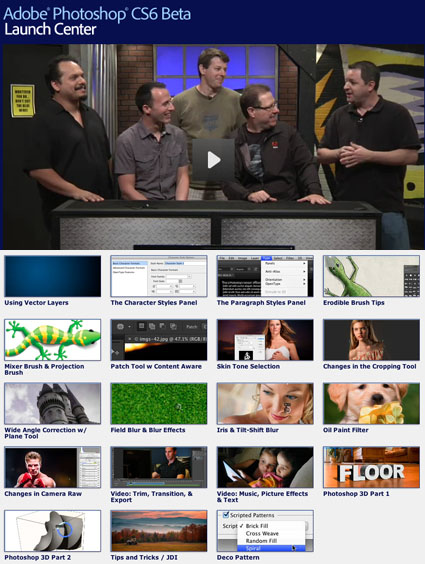
The Photoshop Guys at NAPP put together 20 new videos on Photoshop CS6.
They’re all free!
View them here.
Learn more in my digital photography and digital printing workshops.
NAPP's Lightroom 4 Launch Center Is Live
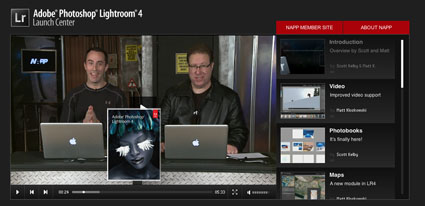
You’ll find 12 helpful videos to inform you about Lightroom’s latest evolution at NAPP’s Adobe Lightroom 4 Lightroom Launch Center.
Topics covered include … Video – Photobooks – Maps – Enhancements – Develop – Print Module – Softproofing – Selective – DNG – Email … and more.
It’s all free!
As always, Kelby and Koslowski make learning easy and fun.
View them here.
View more on Kelby Training.
Learn more in my digital photography and digital printing workshops.
Lightroom 4 Public Beta Video Resources
What’s New In Lightroom 4 Beta – Julianne Kost
Lightroom 4 Beta Launch Center – NAPP
Lightroom 4 Public Beta – What’s In It? – Colin Smith
What’s New In Lightroom 4 – Terry White
A Kitchen Table Overview of LR$ – Michael Reichmann
Find more Lightroom videos here.
Developing Personal Projects
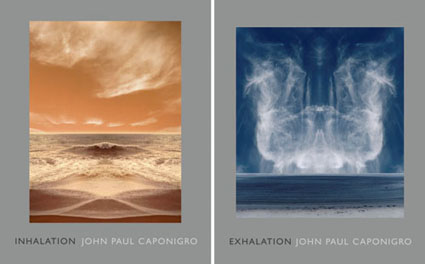
As a fine artist, I advance my career with personal projects. Personal projects also create a clearer direction for and develop greater meaning in my life. My life would be unfulfilled without them
You don’t need to have a fine art career to benefit from personal projects. Many commercial photographers find personal projects reenergize them, add purpose to their lives and quite often lead to new assignments or whole new streams of income. Many amateurs, making images purely for the love of doing it, find greater satisfaction and personal growth through personal projects.
As an artist who mentors other artists in workshops and seminars, I’ve often been called to speak about the importance of personal projects; how to find them, start them, develop them, complete them, present them, and promote them.
Here’s an overview of what I share.
Personal Projects
Defining a project is one of the single best ways to develop your body of work. When you define a project you focus, set goals, set quotas, set timelines, create a useful structure for your images, collect accompanying materials, and polish the presentation of your efforts so that they will be well received.
Focusing your efforts into a project will help you produce a useful product. A project gives your work a definite, presentable structure. A finished project makes work more useful and accessible. Once your project is done, your work will have a significantly greater likelihood of seeing the light of day. Who knows, public acclaim may follow. Come what may, your satisfaction is guaranteed …
Read the rest on scottkelby.com.
Learn more in these related digital photography ebooks.
Develop your personal project in my digital photography workshops.
Making the Visual Verbal
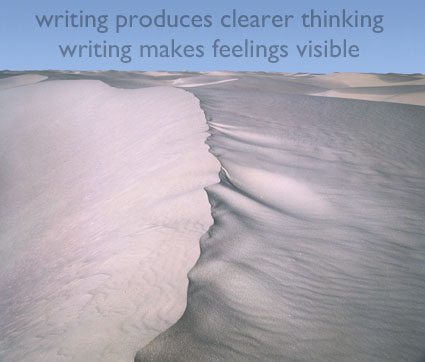
Many take the view that pictures should be seen and not heard. I did. After being called to comment on my work time and time again, I realized that learning to comment on my work not only made my work more effective but it also helped me understand my work better and solve certain creative challenges. In fact, I realized that there are many types of writing and many uses for writing. Writing is now an integral part of my creative process from start to finish. Making the Visual Verbal is a useful skill that can benefit everyone, including you. You don’t think you can write? Anyone can finish a sentence. Finishing it well just takes practice. And some kinds of writing don’t need finished sentences. While it’s true there’s only one Shakespeare, we can all write. After all, think of all the great writing (fiction and nonfiction) that’s been written since Shakespeare. Personally, I don’t want to receive love letters written by Shakespeare. I want love letters written to me by my wife.
Here’s a piece I wrote several years ago on scottkelby.com.
Tune in tomorrow for a new piece on scottkelby.com – Developing Personal Projects.
Making the Visual Verbal
“Pictures should be seen and not heard.” “If we could communicate what we want to communicate with words, then we’d be writers not artists.” The words had rained down on me so many times that my mind had been saturated with the idea. While it reflects some truth, chiefly that a text (written or verbal) can never be a substitute for an image, it can also be misleading. Pictures have always been, continue to be, and will always be talked about-particularly by artists.
Growing up in an artistic family, the parade of visitors and people we visited included many types of artists from musicians to sculptors and most frequently photographers. The topics of conversation were far-reaching and colorful. Often there would be complaints about what had been written about their own work, sometimes about what had been written about each other’s work, or ……what had been written about other artist’s work. Then, if they existed, out would come quotes from an artist’s personal writings that were used to illuminate, reinforce or refute varied points of view (Artist’s letters, journals, interviews and statements have always held a special position in the history of art. They have forever shaped the commentary that surrounds work.) Inevitably, the very same artists, who claimed that artists should remain mute, would be lured into giving a lecture or an interview about their work. Artists approach the process of making the visual verbal with mixed feelings; part trepidation, part confirmation, part validation. To be sure, while there are many pitfalls to be avoided, there are many positive byproducts to making the visual verbal.
Writing can illuminate new avenues of inquiry for the viewer and in so doing enrich the entire viewing process, including the subsequent viewing process of future works by other artists. Writing is a process of revelation, It is a process of making thought visible. It is a matter of clarifying a process of thinking. By making what was intuitively sensed visible to the conscious mind, the familiar is clarified and the unfamiliar is brought to light.
Writing about images is inevitable. This kind of writing has always been there. It always will be. Someone, somewhere, sometime will write about your images. You have a great deal to contribute to the process. Along the way, you’re likely to find that writing about your work will be extremely revealing.
Many positive things happen when you engage writing. You will understand your work better. You will be able to communicate more clearly about your work. You will affirm the strengths of your work. You will be able to chart your own artistic development over time. You may even be able to uncover the seeds that will provide future growth in your work.
There are a variety of ways to make the visual verbal. There are artist’s journals, artist’s statements and writing exercises that can be used to get to the core of the inner life of work. There are ways to prepare for interviews; these days many interviews are conducted through writing over the Internet. There are lectures, and writing and rehearsing creates a solid structure for them. Writing can be a tremendous aid to any creative endeavor at any stage in the process …
Read the rest here on scottkelby.com.
Find more tips on writing here.
Read my artist’s statements here.
Read interviews I’ve given here.
Read my conversations with photographers here.
Learn more in my digital photography workshops.
Adobe Photoshop CS5 Summit – NYC 6/25
Scott Kelby, Dave Cross, Matt Kloskowski, Corey Barker and RC Concepcion demonstrate the latest CS5 features in this free event.
Manhattan Center, Hammerstein Ballroom, 311 West 34th Street, New York
Friday, June 25 4 – 7:30 pm.
Register here now.
NAPP Lightroom 3 Learning Center Updated
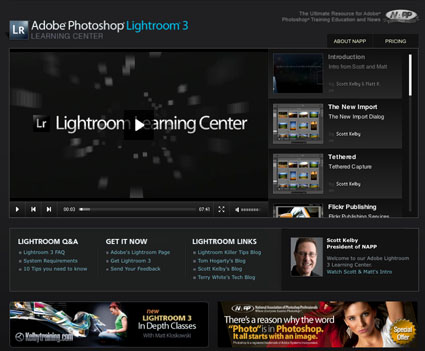
NAPP’s Adobe Photoshop Lightroom 3 Learning Center has been updated.
New content highlights the latest features in the version shipping now.
Whether you’re using Lightroom for the first time or simply upgrading, this fabulous resource will help you make the transition smoothly.
Free online videos include …
1 The New Import
2 Tethered Shooting
3 Flickr Publishing
4 Watermarking
5 Better Noise Reduction
6 Lens Correction
7 Improved Vignettes
8 New Process Version
9 Overall Develop
10 New Grain Effect
11 Slideshow Improvements
Plus you’ll find lots of links to other great resources.
Visit NAPP’s Adobe Photoshop Lightroom 3 Learning Center here.
Russell Brown's Top 5 Photoshop CS5 Features
Russell Brown shares his insights on his top 5 Photoshop CS5 features.
Everyday this week at 1:30 and 4 pm EST view the free live CS5 webinars at NAPP.
Thursday, April 15 12 – 1 pm PDT, Julianne Kost and Bryan O’Neil Hughes will hold a live Q&A session on Twitter. Tweet your questions to @Photoshop and use the hashtag #AskAPro.