Monhegan Island Reveries
May 12, 2012 | Leave a Comment
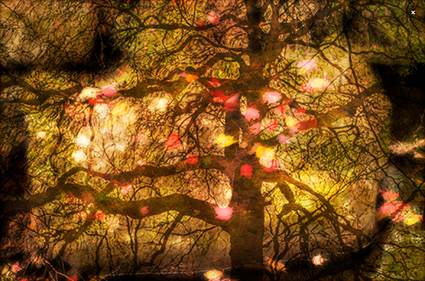
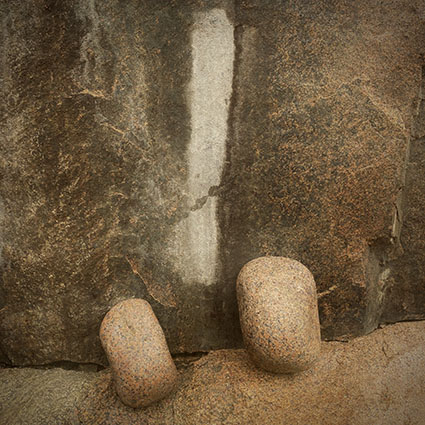
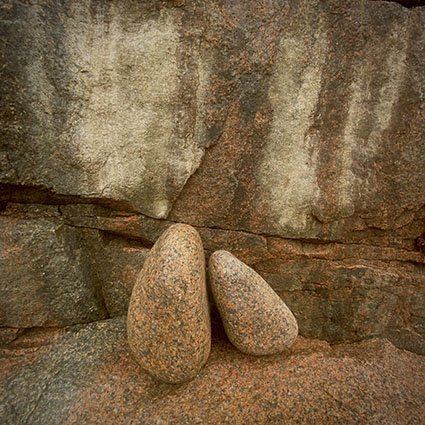
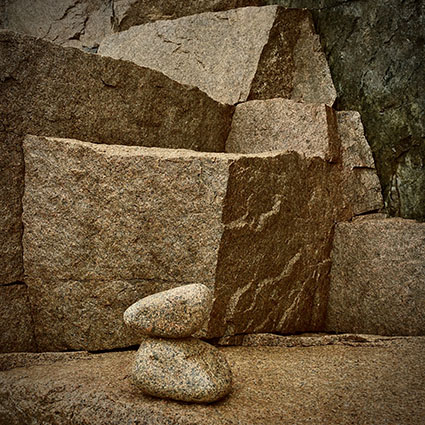
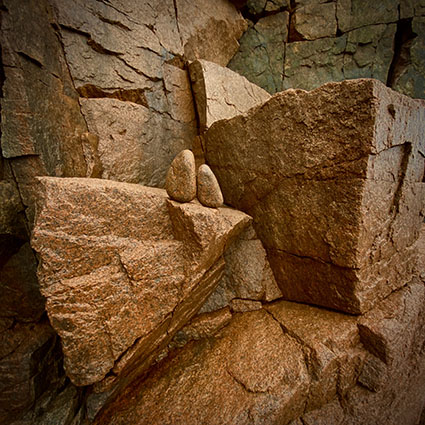
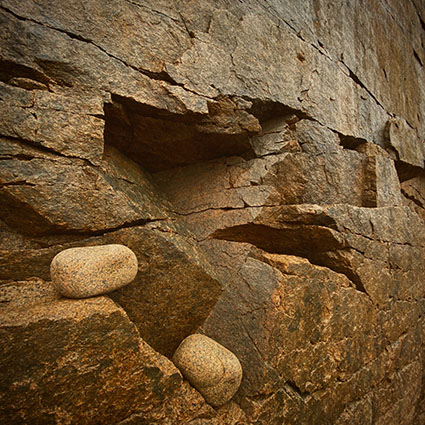
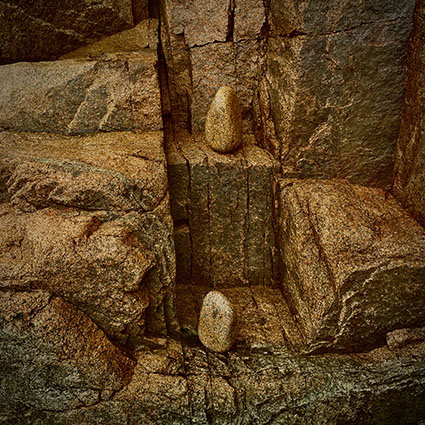
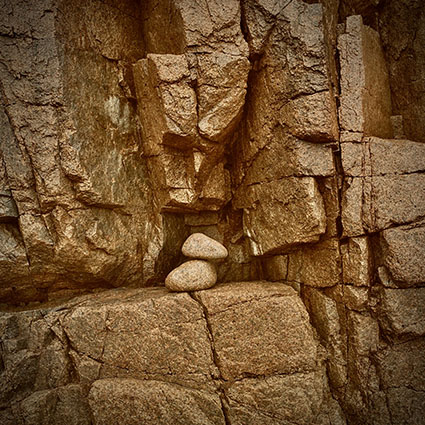
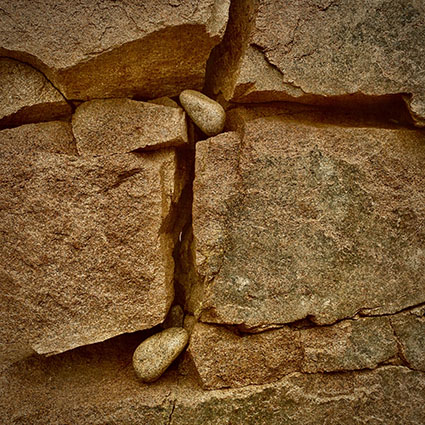
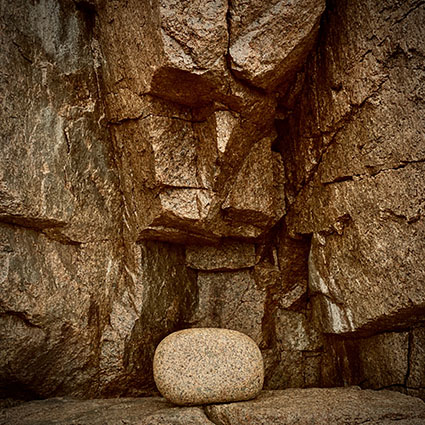
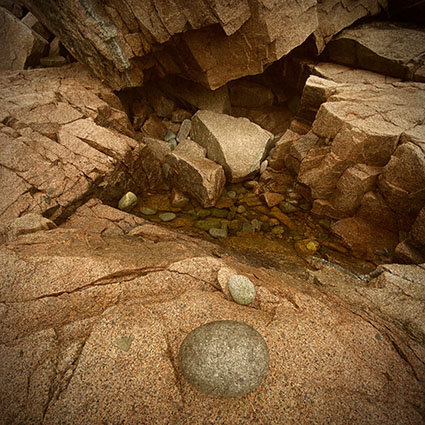
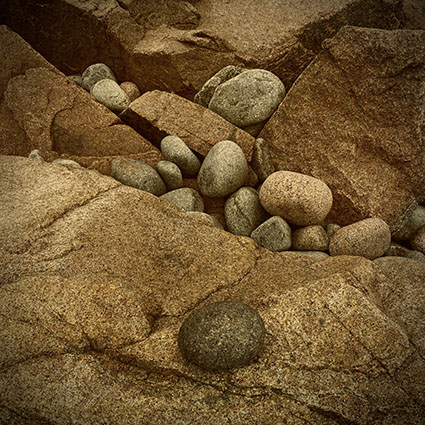
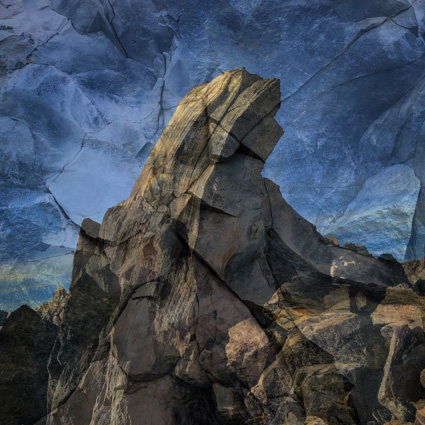
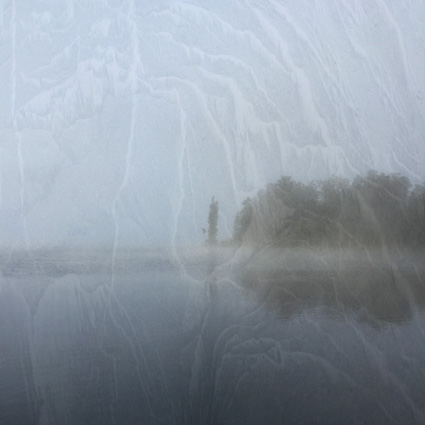
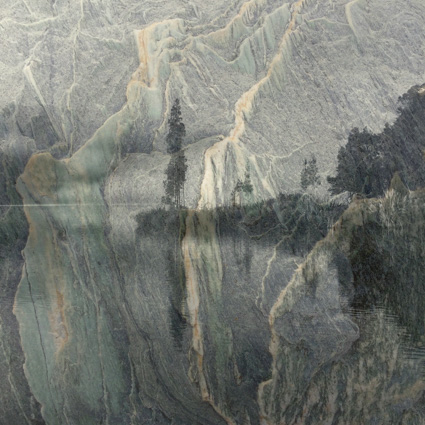
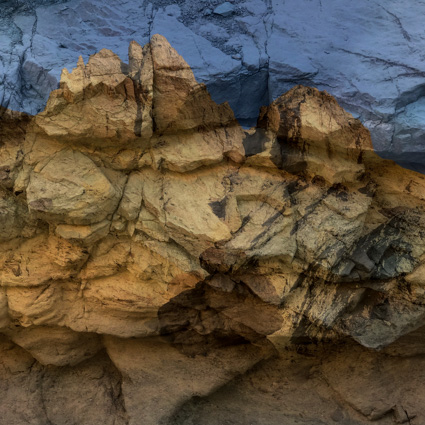
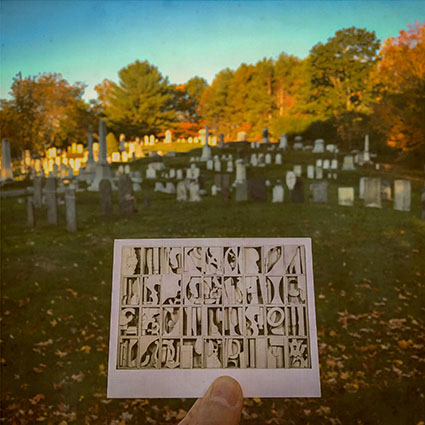
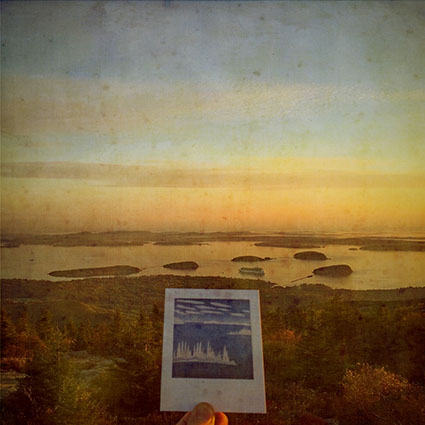
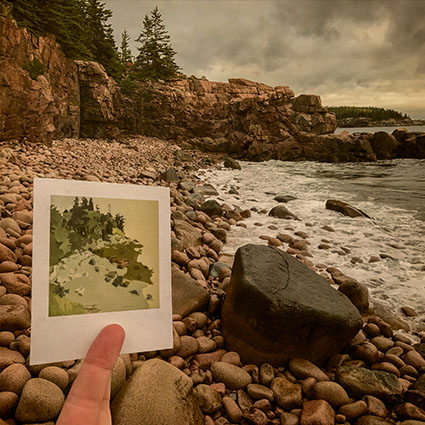
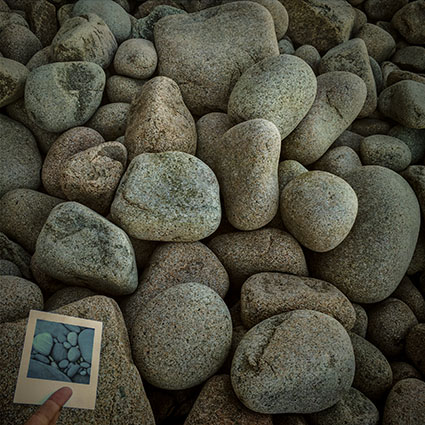
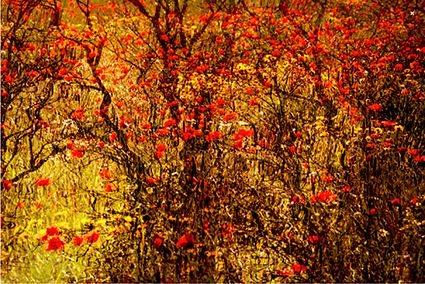
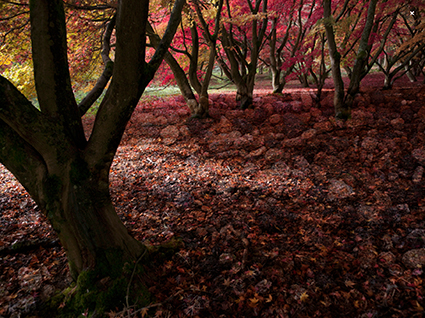
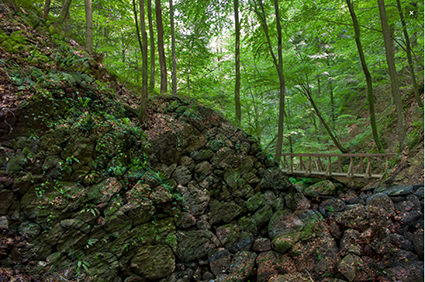
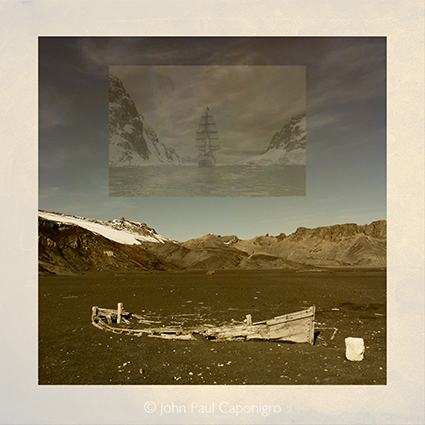
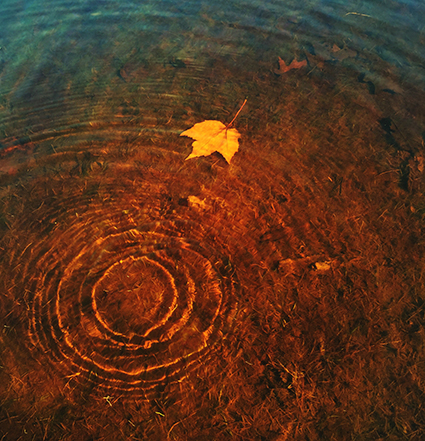
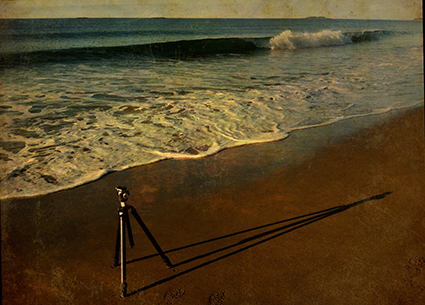
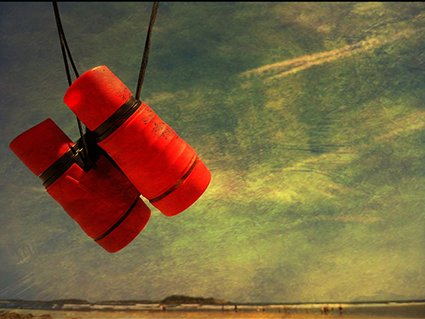
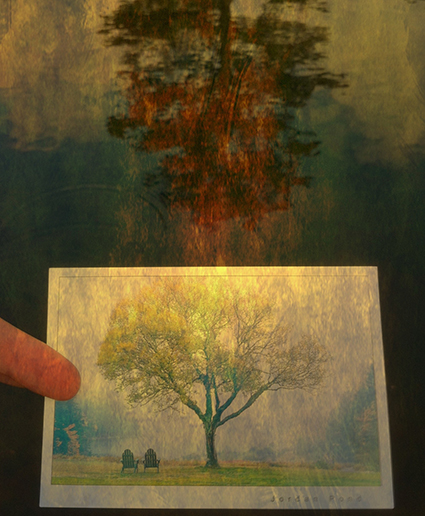
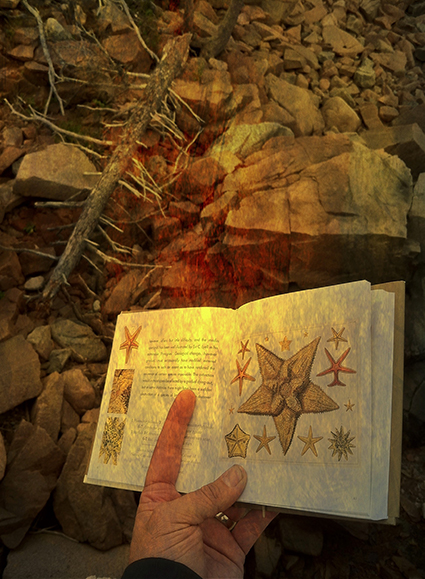
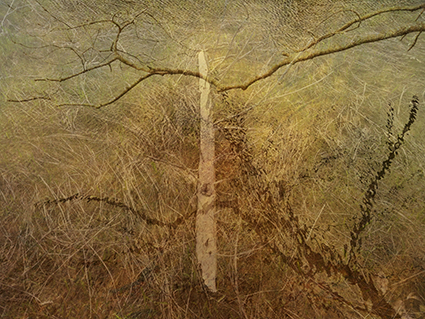
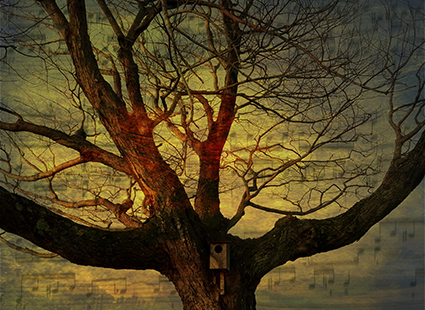
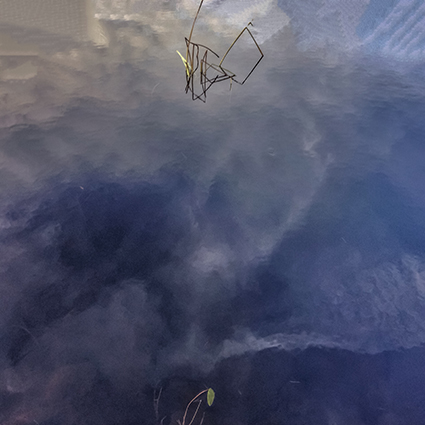
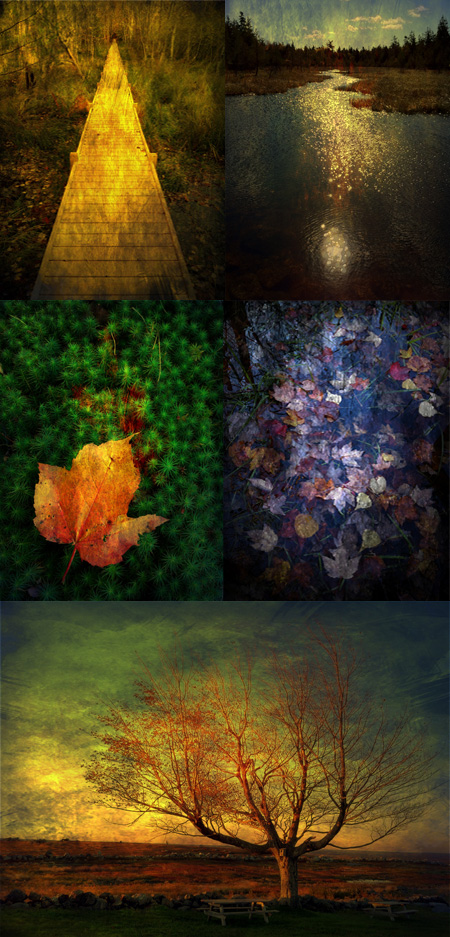
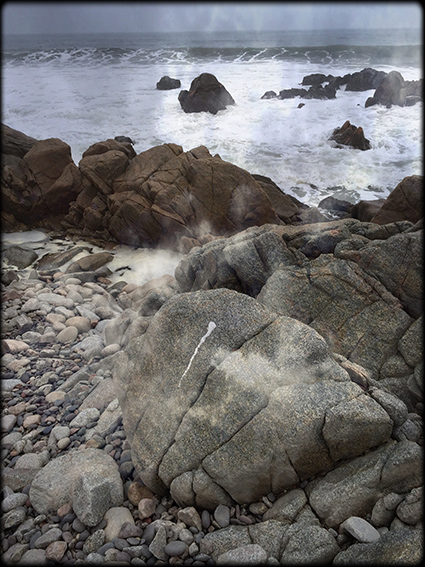
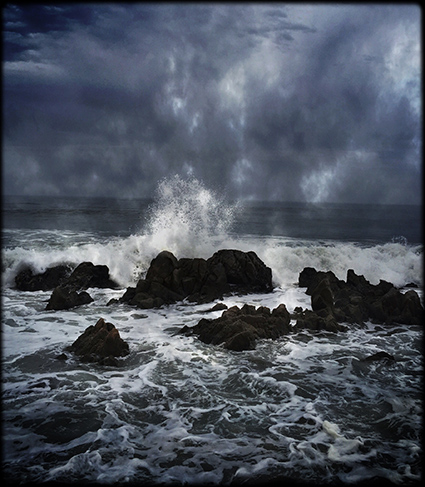
What is it about Monhegan Island that gets your creative juices flowing? Maybe it’s the how beautiful it is; ocean, cliffs, forests, gardens, island life. Maybe it’s the sense of getting away from it all; the island is 12 miles out to sea. Maybe it’s the creative community on the island; it’s had a long history as an artist’s colony. Whenever I’m on the island I give myself license to play – writing, drawing, photographing and dreaming.
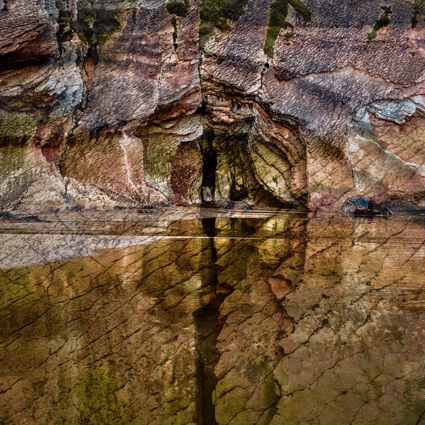
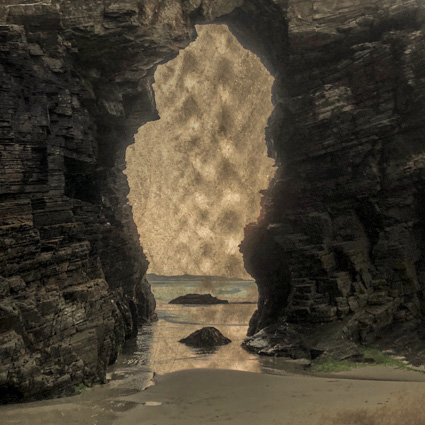
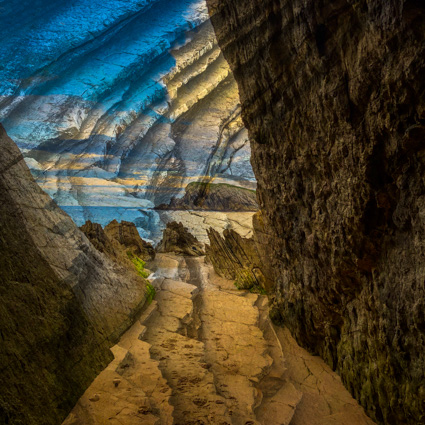
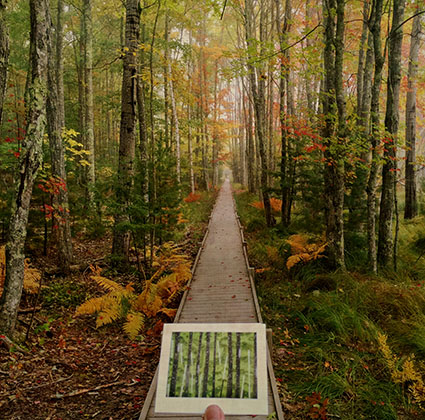
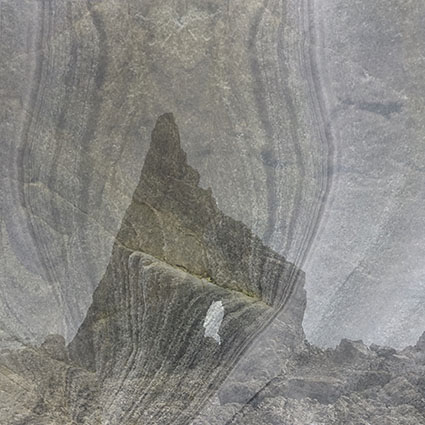
Here’s a selection of my iPhone images made on recent excursions to Monhegan Island.
Find out more about my Monhegan Island photographic workshop here.
iResize Your Mobile Images With One Touch
May 9, 2012 | Leave a Comment
When you want to make a mobile phone image smaller quickly, launch iResize. Why would you want to change the size of an image? There are so many reasons; to email it, to post it online, and/or to share it in social networks are just a few. And with smart phone images growing in size every year, the need to do this is only increasing.
iResize can also change the proportion of an image from horizontal to panoramic, square, or even vertical.
iResize is one of those apps that you can learn instantly and is so easy to use that you’ll quickly overlook how often you use it, which is exactly what makes a go to app.
Read more with step-by-step illustrations on The Huffington Post.
iPhone Experiment – Music
April 25, 2012 | Leave a Comment
Combining images of music with other images has added a rich new dimension to my creative life and thinking. I don’t mean sequencing a soundtrack to a slideshow; I mean adding the graphic notation found in sheet music.
So that I can make these types of images on the spot, I’ve gathered a collection of photographs of music that I can draw on at a moment’s notice.
Doing this has not only yielded a growing number of compelling images, it has also raised a generative set of questions. In particular, the question of what’s missing or has been eliminated in still images and how that can be either more strongly felt or implied leads to many new ideas and insights.
I find that because I’m engaged in this experiment I notice the ambient sound of the places I’m photographing in more frequently and even photograph different things. My perception of the world becomes richer because I’m paying closer attention to it and to my responses to it.
What experiments will help you add a new or missing dimension to your images?
Read the full article on The Huffington Post.
Visit my iPhone learning center here.
Mobile Retouching Wizardry At Your Fingertips With App Touch Retouch
April 9, 2012 | Leave a Comment

The iPhone app Touch Retouch performs the kind of stunning magic that first appeared in Adobe Photoshop only a few years ago. Adobe introduced this type of instant retouching based on pattern recognition under the name of Content Aware Fill. Now a similar technology is available for smartphone photography. You can also use the Clone Stamp tool to copy specific information from one part of an image to another, either to cover over an unwanted element or duplicate it.
Recent iPhone Photographs
April 5, 2012 | 1 Comment
Smart phone photography is a great way to stimulate your creativity and explore different ways of thinking visually. On a recent road trip I collected many images during moments in between events. I consider these experiments or sketches rather than finished images but the discoveries I make images more casually clearly inform the finished images I make. Simply playing visually helps me become more versatile. And it’s fun!
What role does smart phone photography play in your creative process?
Find my iPhone photography resources here.
Learn more in my digital photography and digital printing workshops.
Magically Change The Proportion Of Your Photographs With The App ‘Liquid Scale’
March 26, 2012 | Leave a Comment
You can use the app Liquid Scale to distort the frame of an image without distorting key elements in it. Like Adobe Photoshop’s Content Aware Scale, this software identifies image elements that are most likely to be more important than others and distorts other areas, typically areas that are smooth or randomly textured. There are limits to how far you can go before less distorted image elements begin to look unnatural, which are largely image dependent. In some cases, you can go so far as to convincingly turn a vertical image into a horizontal image. It’s magic.
This app will do more than change your images, it will change the way you see.
Read more and see more on The Huffington Post.
Plus find more app reviews.
Render Sophisticated Light FX With Rays
February 24, 2012 | Leave a Comment
As far as magic moments go, few can compare to those fleeting moments when light streams from the heavens or wraps around objects, as if making visible some some divine presence. Kings and priests would pay dearly for the ability to place such signs at their command. You can have it for the simple price of an app.
Rays identifies highlights within an image and uses them as sources to render rays of light from …
Plus find more app reviews.
Dual Apps Render Sophisticated Light FX – Lens Flare & Lens Light
February 20, 2012 | Leave a Comment
When it comes to photography, you can do a lot with a little light. Adding light into your images offers many creative possibilities: add a sparkle to someone’s eyes, make highlights shine, enhance an atmospheric effect, trace a constellation in the sky, render a cinematic special effect, and much, much more. In short, you can enhance the center of attention in any image or create a new one.
Adding light into your photographs after exposure just got easier on your iPhone. Brain Fever Media makes two apps that can add light fx to your images: Lens Flare and Lens Light.
Lens Flare offers 45 different effects — mostly star patterns, some edge flares, and a few linear streaks.
Lens Light offers 54 different effects including rays, spotlights, streaks, scratches, and even suns, moons, and lightning.
Read more on The Huffington Post.
32 Apps I Use – On Pinterest
February 18, 2012 | Leave a Comment
You’ll find a virtual pin-up board with links to 32 iphone photo apps I use regularly on Pinterest.
Read more about cell phone photography on the Huffington Post.
Reduce, Modify, Or Combine App Effects With Image Blender
February 15, 2012 | Leave a Comment
Do you ever wish you could reduce the intensity of an effect? Do you ever wish you could combine the effects of multiple Apps with more control? You can, with the App Image Blender.
Image Blender is extremely quick and easy to use. Simply launch Image Blender, load one version of an image and then load another version of the same image (or another image). To reduce an effect, use the opacity slider. To modify the way an effect is applied to an image, change the blend mode of one image and change the combined effect. To rotate or scale an image double tap on the screen, then pinch and twirl to align one image with another. Finally, save a new image with the combined effect of your choice.
Blend Modes
Blend modes can be used to generate many creative effects. Image Blender offers most of the standard blend modes; Normal (for no special effect), Lighten and Screen (to lighten), Darken and Multiply (to darken), Overlay and Soft Light and Hard Light (for contrast effects), Luminosity and Hue and Saturation and Color (for color effects), Color Dodge and Color Burn (for combined contrast and color effects), Difference and Exclusion (for special effects), and two others Plus Darker and Plus Lighter (with self-explanatory titles).
Image Blender Provides Global Not Selective Control
Image Blender doesn’t allow you to blend images selectively with masks – i.e. in or not in one spot or from side to side or top to bottom. (To do this try PhotoForge 2.) In some cases, you can achieve similar effects by photographing subjects on black or white or painting areas of an image black or white and using blend modes like Darken or Lighten to drop out either the darkest or lightest values.
Multiple Exposures
Image Blender can be used to combine two different images. When you create multiple exposures with Image Blender a few strategies are particularly useful for creating multiple exposures with Image Blender. One, make exposures that have the same background but contain moving objects for futurist motion and/or ghostly transparent effects; keep your camera still; consider using a tripod. Two, use images that have dark objects on a light background or light objects on a dark background; you can make background lighter or darker by processing them with other Apps; then you can use the blend modes Lighten or Darken to make the background disappear.
Creative Enhancements
There are many things you can do to creatively enhance an image by modifying App effects. Here are six.
1 Partially restore the original state of an image.
2 Modify the way an effect adjusts an image.
3 Overlay text or graphics onto an image.
4 Add a transparent texture to an image.
5 Make moving objects transparent.
6 Merge two images into a surreal composite
Isn’t it nice to know that when it comes to the effects Apps have on your image, it’s not an all or nothing take it or leave it proposition? You can get more control, with Image Blender.
Find more iPhone app reviews on the Huffington Post.
Create Complex Grunge Photo FX With GothPix
February 7, 2012 | Leave a Comment
Find out how to change your iPhone images from this to this or even this in less than a minute.
Splatter, speckle, and stain your images in seconds with the iPhone app Goth Pix. It generates surprisingly rich and complex weathering effects that can give your images an antique, distressed, or painterly look …
Read / View more on The Huffington Post.
iPhone Experiments – Bones
February 6, 2012 | Leave a Comment
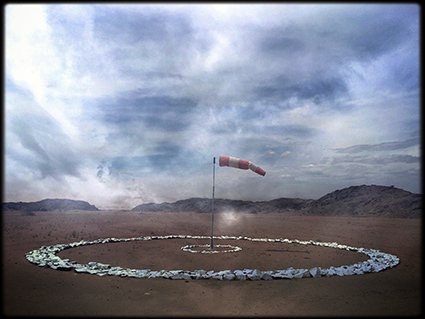
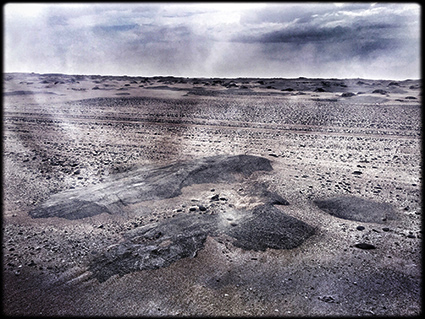
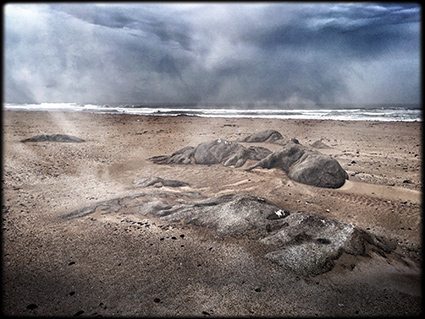
Recently, during an African safari, I spent several days photographing animals. We saw all of the big five (lion, leopard, elephant, rhino, cape buffalo) and many other animals in one day. It was the first time I made a concerted effort to make wildlife photographs, which was excellent practice. I gained an increased appreciation for how moments of peak action (or lack thereof) can make or break some photographs. I made many competent photographs that entertained my family at home, which I have no intention of using professionally.
In between these sessions, I spent a few hours photographing the skulls of animals displayed in the camp. Initially, I photographed very freely, exploring many ways of photographing them. As I reviewed the images, I learned from both the successes and the failures, gradually refining my the point of view of the collection. I appreciate the images that go beyond direct representation and become suggestive of something more through abstraction and metaphor. Ultimately, these images, which I consider sketches, will lead to final results, which will result in professional products.
Unexpectedly, I found that these sessions helped me develop my thinking on how to incorporate the process of sketching, both with words, drawings and photographs, into the development and presentation of future professional work. In the right contexts, I might even publish, display or sell select sketches.
This session also helped me explore longstanding personal themes within my life and work. These images expand my understanding of the power of photography to transform our perceptions of a subject through close observation. They highlight for me the limitations of vision (and photography) to see beneath or beyond surfaces. They confirm how I frequently try to suggest the often unseen foundations of the things I photograph. They remind me of how much I love to draw bones, especially the human skeleton. They reinforce my longstanding desire to create sculptures, many influenced by these forms. They resurface my artistic influences; in particular Georgia O’Keefe and Henry Moore. I’m sure there are other valuable resources I can mine from this experience, if I give both the process and these results further thought.
Explorations often have many unintended consequences; often these become the discoveries we’re looking for when we engage in experiments. You’ll learn more from simply observing your creative process, without judgment, than from anything else. Awareness is everything. What makes a process of experimentation even more successful, richer and more relevant is subsequently reviewing our results and continually refining our lines of inquiry.
How could experimentation help you reveal, connect with and develop your influences?
What experiments would be most helpful to you?
These images were made in Mala Mala, South Africa during my recent South Africa Photo Safari (sponsored by NIK).
Apps used were PicGrunger and Snapseed.
Ways To Give More Useful Feedback Online
November 10, 2011 | Leave a Comment
Wow! Cool! Amazing! Fantastic! Beautiful! Great image! I love it! You can feel the love online — on Facebook, Twitter, Google+, Flickr, Picasa, Instagram, 500pix, BestCamera, and countless other image-sharing services, social networks, blogs, and websites. It feels good to give and receive praise. It can be motivating!
Ask For It
Do you want more love? Ask for it! There’s an implicit request for feedback when you post an image online, where people can comment on what you post. But, when you post images without a request for feedback, the number of responses you get goes down. Without an invitation, people may be hesitant to give you feedback. Or, they may not know how far to go and end up not going far as you’d like them to. So, if you’re looking for feedback when you post your work — ask for it. You’ll find people are quite happy to share their opinions with you.
Be More Specific
Love may not be the only thing you’re looking for. If you’re looking for more than love, there are many ways to find it. The way you ask for feedback can make a big difference in the kind of responses you get and how useful they are. If you don’t make a specific request, the responses you get will be general and unfocussed. Conversely, you can qualify the type of feedback you’re giving someone. State your approach before giving your feedback.
Ways To Give Feedback
There are as many ways to direct the kind of feedback you get as there are ways to give feedback. Here’s a list of eleven different kinds of feedback and ways to ask for it. You can ask the questions of either single images or groups of images. (You can even use this list to easily copy and paste questions when you post images online. Or make your own!) …
Read my full post on The Huffington Post.
Read more related posts on cell phone photography on The Huffington Post.
9 Essential Photo Editing iPhone Apps
October 27, 2011 | Leave a Comment
Finding it hard to choose between so many photo editing iPhone apps? Here’s my short list of essential photo editing apps. Get these ten apps and it’s likely you’ll only buy other apps for specialized effects or participating in specific social networks.
Snapseed, PhotoForge 2, Pro HDR, Auto Stitch Panorama, Liquid Scale, iResize, Photo Fixer, TiltShift, Image Blender
Read my full review on The Huffington Post.
Hipstamiticophilia – Ragnar Th Sigurdsson
September 1, 2011 | 2 Comments
While guiding me on my Iceland photography workshop, Ragnar Th Sigurdsson rediscovered iPhone photography. He got obsessed with the App Hipstamatic, which produces photographs with terrific lo-mo effects. He started seeing differently. In addition to making many images with higher end photography equipment, he produced over 1000 new iPhone images in a few days.
We discussed the differences. Here are some of our thoughts.
The iPhone is smaller than most cameras. This makes it easier to position it in places you couldn’t place a DSLR. (Plus, the iPhone’s depth of field is very large and it can be focussed at very close range.)The iPhone’s small scale also changes interpersonal dynamics between the photographer and human subjects; people feel more at ease with what’s perceived as a more casual act, you can make contact with both eyes, and allowing the subject to see the picture while it’s being made (instead of after) provides a dynamic feedback loop of action and reaction or pose and repose.
The iPhone’s screen offers a large sharp preview and allows simultaneous comparison between an unaided view and the view as rendered by the device, in low light. In bright light, it’s often difficult to see image details on screen, producing a change in perception; broad structural relationships are seen without embellishment. (Low fidelity or distressed images emphasize this quality. When done well, they become perfectly imperfect. And the novel look generated elicits viewer responses which are markedly different than high fidelity renderings.)
Results are almost instantaneous. Images are processed in seconds or minutes, often on the spot, allowing a direct comparison and contrast between the scene and the image produced.
The practice of cell phone photography is significantly different enough that it encourages a great deal of experimentation. I recommend it to anyone who’s passionate about photography.
Cell phone photographs and the process of making them can be delightfully spontaneous.
Here’s a selection of Ragnar th Sigurdsson’s iPhone photographs made with the App Hipstamatic.
Find out about my 2012 Iceland digital photography workshop here.
Cartooning Our Way Through Iceland
August 31, 2011 | Leave a Comment
We have a lot of fun in my workshops. Often, we use our iPhones to stimulate creativity. We try all sorts of creative experiments. This trip, one of the experiments I tried was creating cartoons of participants as superheroes or supervillains. It all started when our guide Ragnar Th. Sigurdsson put a luggage label on his chest with a fragile icon. I made a not sign on it with a Sharpee pen and he became Captain Unbreakable. Then I made an ironic cartoon of him with my iPhone. (Apps used are Toon Paint, Pic Grunger, and Label Box.) Everyone was laughing. Everyone wanted to play. We laughed our way through Iceland.
Because we were playing this game, we thought frequently about what text could/would accompany our images – titles, captions, essays and more. Frequently, a little levity can lead to useful creative insights.
Here are some of the images from these ongoing hijinks.
Find out about my 2012 Iceland digital photography workshop here.
Track Your Influences
August 30, 2011 | Leave a Comment
Frequently, old ideas and feelings surface in the midst of our creative process. Tracking our own fixations and chains of association can be both revealing and rewarding.
The paintings of Morris Graves made a big impression on me at an early age. Ever since, I been interested in photographs of dead animals, particularly birds. I even made some of my own.
I stumbled into this territory, once again, by chance, while photographing on the side of the road in Iceland. I quickly made this sketch with my iPhone. I knew what was happening while I was doing it, because I’d already done a lot of observation of my creative process and soul searching. I recommend you do the same for yourself. You’ll be richly rewarded with highly personal insights.
Find out about my 2012 Iceland digital photography workshop here.
Use Postcards As Props
August 28, 2011 | Leave a Comment
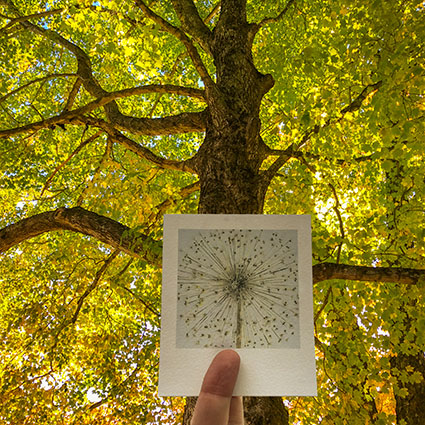
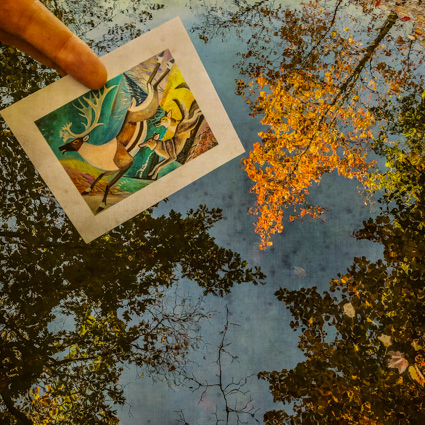
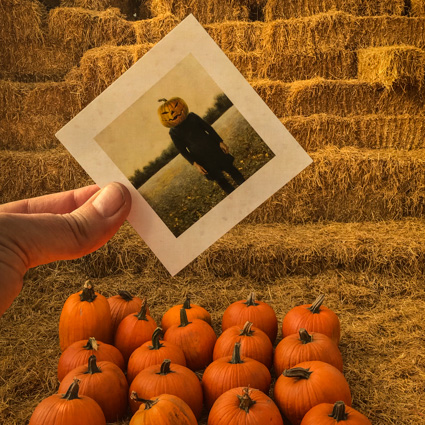
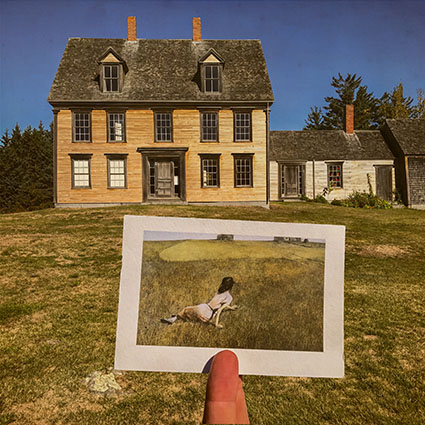
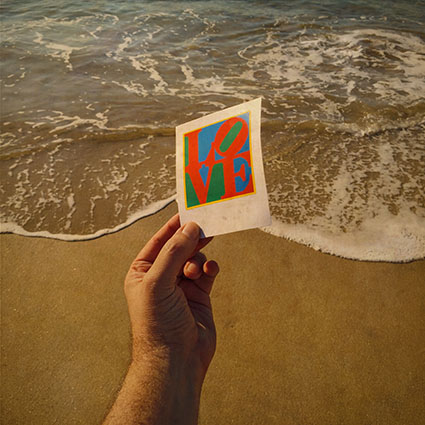
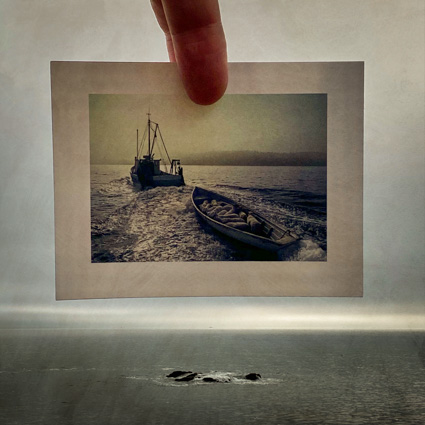
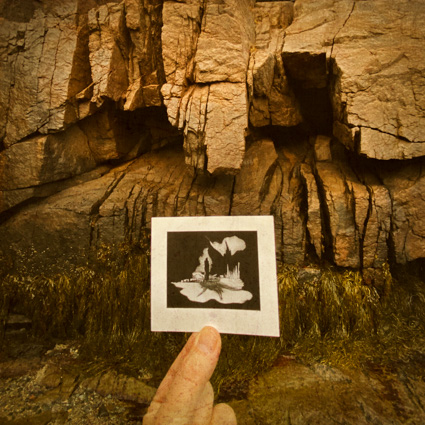
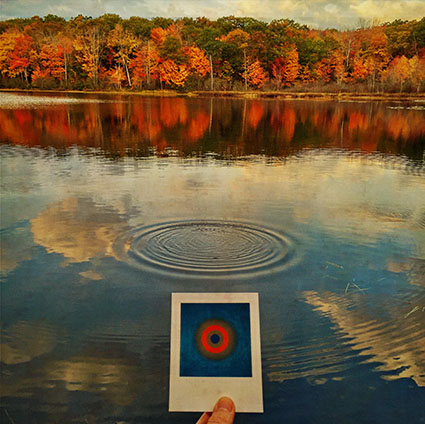
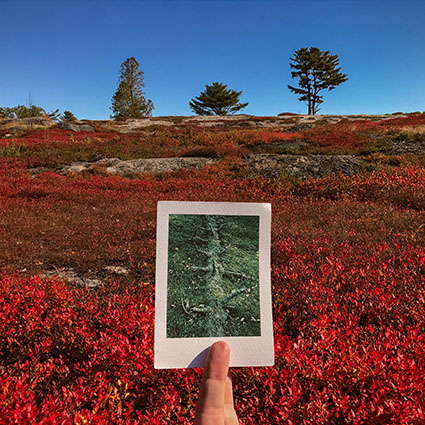
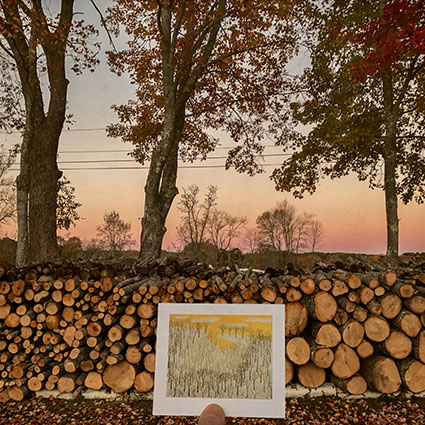
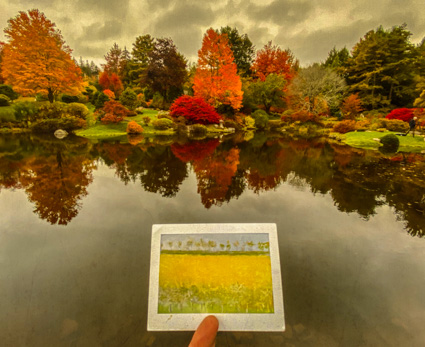
I often like to use props to make photographs. One of my favorite props to use is images. Photographing other images, in many cases, photographing other photographs, adds layers of complexity and offers many poetic opportunities. Images ask you to look and to look in certain ways. Two images ask you to look and look again and to look in multiple ways. I find this extremely stimulating. Making images with other images in them can be a fantastic creative wellspring.
Here’s a selection of images with postcards in them that I made during my 2011 Iceland workshop.
Find out about my 2012 Iceland digital photography workshop here.
Make Your Own Postcards
August 27, 2011 | Leave a Comment
For a time, I swore off making photographs that were like postcards. I was looking for something else then. I was looking for my own unique approach to making images. My thinking was that if I took a vow of abstinence from what I knew I wasn’t looking for, I’d eventually find what I was looking for. Eventually, I did.
After some time, I reconsidered this aversion to making postcard-like images. I started making them, again. Making postcards is excellent practice. You have to be fairly competent to make good postcards. Postcards survey a subject, tell a story, offer human interest, present strong color, and are composed of relatively strong graphic structures. Sometimes, postcards make strong emotional appeals. When you think about it, that’s a pretty tall order.
Postcards try to do it all – and do it all competently. It’s interesting to note that to transcend postcards, all you need to do is emphasize one of these qualities over the others and do that one thing excellently. Making postcards is great practice. To make good postcards you have to understand them clearly. To transcend them, you have to know the difference between them and what you’re really looking for.
Below is a selection of iPhone postcards from my 2011 Iceland workshop.
Find out about my 2012 Iceland digital photography workshop here.
Iceland – Fire From Heaven
August 22, 2011 | Leave a Comment
Iceland. Seljalandsfoss. A waterfall you can walk behind. Sunset.
I’m getting lost in Iceland with a great group of Focus On Nature workshop participants this week.
Stay tuned for updates.
Find out about my 2012 Iceland workshop with Seth Resnick here.
keep looking »Subscribe
Get the RSS Feed-
- Alumni
- antarctica
- Antarctica 2009
- Apps
- Arctic
- Artists
- Artists On Art
- Audio
- Awards
- Books
- Business
- Calendar
- Canon Cameras
- Causes
- Cell Phone
- Cell Phones Inspire Creativity
- climate change
- Collected
- Color
- Composition
- Contests
- Conversations
- Creativity
- Destination
- Disclosure
- Discount
- Drawing
- DVDs
- eBooks
- editing
- environment
- Epson Print Academy
- Equipment
- Event
- Exercises
- Exhibit
- Experiment
- Greenland
- Guest Blog
- huffington post
- iceland
- Images
- influences
- Insights Enews
- Inspiration
- Interviewed
- ipad
- iPhone
- Lecture
- Lighting
- lightroom
- Magazine
- Map
- Masterworks In My Collection
- Media
- Meditation
- Multimedia
- Namibia
- News
- optical illusions
- Packing
- People
- Photographer's Favorite Quotes
- Photographers
- Photographers – Q&A
- Photographers On Photography
- Photographers Video Conversation
- photography
- Photoshop
- Postcards
- Printing
- Published
- Q&A
- Quotes
- r/evolution
- Radio
- Reading
- Requests
- Review
- Reviewing
- Screensaver
- Sculpture
- Seminar
- Sharpening
- Slideshow
- Social Causes
- Social Networks
- Software
- Special Guest
- Special Offer
- Statements
- Storytelling
- Technique
- Technology
- Travel
- Uncategorized
- Video
- Video – Artists
- Video – Creativity
- Video – Lightroom
- Video – Photographers
- Video – Photoshop
- Website
- Welcome
- winners of the day
- Workshops
- Writing
- X-Rite i1Photo Pro
Archives
-
- May 2012
- April 2012
- March 2012
- February 2012
- January 2012
- December 2011
- November 2011
- October 2011
- September 2011
- August 2011
- July 2011
- June 2011
- May 2011
- April 2011
- March 2011
- February 2011
- January 2011
- December 2010
- November 2010
- October 2010
- September 2010
- August 2010
- July 2010
- June 2010
- May 2010
- April 2010
- March 2010
- February 2010
- January 2010
- December 2009
- November 2009
- October 2009
- September 2009
- August 2009
- July 2009
- June 2009
- May 2009
- April 2009
- March 2009
- February 2009
- January 2009
- December 2008
- November 2008
- October 2008
- September 2008
- August 2008
- July 2008
- June 2008
- May 2008
- April 2008
- March 2008
- February 2008
- December 2007
- September 2007
- April 2007
- March 2007
- February 2007
- December 2006
- November 2006
- October 2006
- August 2006
Categories
Blogroll
Topics & Friends
WP Cumulus Flash tag cloud by Roy Tanck requires Flash Player 9 or better.