What Printing Can Do For You
May 23, 2013 | Leave a Comment
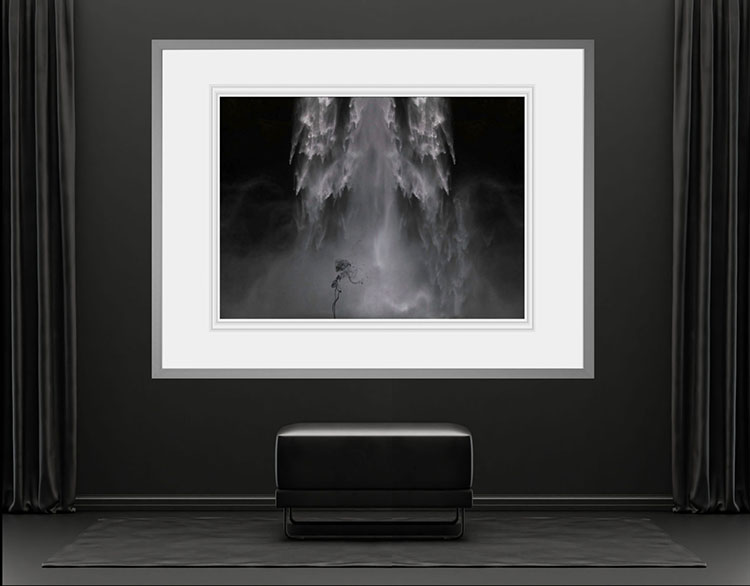
Making prints does many things for you. To make a print you have to answer many questions. You learn a lot when you make a print. Realizing your vision in print means more than just making it real, it also means you’ll make many realizations about your vision along the way.
The new opportunities making prints presents challenge you to clarify and declare your intentions. What do you want to accomplish with your images? If your goal is to make an historic record you may be content with making a few, perhaps only one, possibly quite small, highly durable print that is stored and preserved very carefully for the future appreciation of only a few. On the other hand, if your goal is to expose the largest number of people possible to your imagery, you may want to consider creating an international billboard campaign now. How do you want people to interact with your images? Do you want to present your images as casual, everyday, highly accessible, utilitarian artifacts or scarce, highly refined, collectibles? The way you choose to print (or not to print) your images will get people to look at, interact with, share, and value them in entirely different ways. When you choose one thing you often have to let another go. If you choose many things simultaneously take steps to make the comparisons meaningful or you run the risk of creating confusing mixed messages. The things you make your images into will guide the viewer on a reenactment of your journey of discovery – and part of that journey of discovery lies in making and appreciating prints.
Printing your images also challenges you to clarify and declare your sensibilities. How do you prefer your images to look? What is the appropriate scale for an image – miniature, life-sized, or larger-than-life? Scale changes the physical and psychological reactions people have to images. They draw close to small prints and sometimes hold them or even carry them with them wherever they go; large prints immerse people in images that may fill their entire visual field until they pull back to view them from a distance. You can change a space or even create new space with prints. How will materials enhance your visual statements? Synthetic or organic? Smooth or textured? Uniform or irregular? Sharp or soft? Reflective or non-reflective? White, cream, or another colored base? All of these factors will have not just a technical impact on detail and color in your image but also on the psychological reactions their associations produce within the viewer. Inevitably, when making a print some things are gained and others are sacrificed. The sacrifices you are willing to make offer an opportunity to clarify your priorities. What do you want people to appreciate most about your images? Let this question be your guide as you first explore possibilities and later make decisions about how to present your images.
To answer the many questions making prints raises you have to pay attention to many details. When you make prints you are called to carefully consider your images and what you want to say and do with them. Prints also offer invitations for others to carefully consider not only your images but also your vision. Once you’ve made prints, you’ll not only understand your vision better, by extension you’ll understand other people’s vision better too.
Sure you can let others make prints for you. But you’ll be missing out on the opportunities they present to further clarify and resolve your vision. Even if you do it, really do it, just once, you’ll learn a lot.
Find out about my prints here.
Learn more in my digital photography and digital printing workshops.

What Printing Can Do For Your Images
May 23, 2013 | Leave a Comment
Making prints does many things for your images.
Prints make your images tangible. They can be displayed and stored. Prints take up physical space and why would you let something do that if it wasn’t important? Because they occupy space, prints are rarer as well as less accessible. Of all the images you look at in a day, how many of them are prints? No one makes millions of prints. No one carries thousands of prints in their pockets or cell phones. Because they’re physical, prints can be bought and sold. It’s harder to command a higher price for intangible things and harder still for them to hold their value.
Prints enhance your images with material qualities and associations. Synthetic or organic? Smooth or textured? Uniform or irregular? Reflective or non-reflective? White, cream, or another colored base? Your choices have an impact on the technical quality in your images (detail, gradation, color) and on the associative reactions they produce within the viewer (it feels like or reminds me of …).
Prints define the scale of your images. What is the appropriate scale for an image – miniature, life-sized, or larger-than-life? Scale changes the physical and psychological reactions people have to images. They draw close to small prints and sometimes hold them or even carry them with them wherever they go; large prints immerse people in images that may fill their entire visual field until they pull back to view them from a distance. You can change a space or even create new space with prints.
Printing your images may make them durable. Historically, it’s the images that were printed that survived. New technology disaster stories aside, there’s never been a precedent to help us determine how long digital files will last if properly cared for. In theory, they should never degrade and can be copied indefinitely without reducing their quality. Whether people will perform the required maintenance to ensure this is the real question. One day in the future, media and format migration may become automated, but it’s not now. Though they can deteriorate on their own, if properly produced and stored, prints need little or no additional care and no know how to retrieve and use them.
Prints enable images to be viewed in different ways. Traditionally, photographs needed to be printed to be viewed. (Slides were a brief but possible exception. Or were they really tiny prints?) Today, that’s no longer true. But we do look at things that are printed differently than images that are not.
Do you look more frequently at images that have been printed or images that haven’t? Prints persist. They remain in our environment consistently and require little or no conscious effort for us to consider and reconsider them. If you’re like most people, only the most important images to you have been printed and only a few of those are displayed at one time or for long periods of time. Making and using prints can become a part of the decision making process to focus more attention on a select few images. When images are printed they are no longer lost amid too many other less important images. When printed your images become more significant.
In short, printing your images can work wonders for them.
Find out about my prints here.
Learn more in my digital photography and digital printing workshops.

Printing 101 Notebook – Ron Martinsen
March 20, 2012 | Leave a Comment
“Ron Martinsen is an internationally renowned commercial photographer who has educated over 800,000 visitors on his popular Photography and Photoshop blog. His printing series last year was a huge hit, but there was so much great information to share that his loyal readers asked for a book. Printing 101 Notebook: An Introduction to Fine Art Photography Printing is an eBook that is designed to help frustrated ink jet printer users get the most out of their investment by educating them on everything they will need to make great prints.”
Ron Martinsen’s ebook Printing 101 is packed with digital printing tips and tricks, peppered with links to more resources. In a casual personal tone he offers advice based on his real world experience. While the book is applicable to photographers using any inkjet printer, it offers more information on Canon printers than any other source I’ve encountered. The supporting interviews with industry leaders in printing offer even more information from a diverse group of individuals.
Find out more about Ron Martinsen here.
Get your copy of the Printing 101 Notebook at Flatbooks.
Learn more with my free digital printing ebooks.
Learn more in my digital printing workshops.
Bambi Cantrell, Douglas Dubler, Greg Gorman, Jay Maisel, Steve McCurry, Jeff Schewe – On Printing
December 30, 2011 | Leave a Comment
Bambi Cantrell, Douglas Dubler, Greg Gorman, Jay Maisel, Steve McCurry, and Jeff Schewe share their thoughts and feelings on their work and how they relate to it when it’s printed.
View my Epson video interview here.
Find out more about Epson Focal Points here.
John Paul Caponigro On Printing – Epson
December 29, 2011 | Leave a Comment
In this video, I share my thoughts and feelings on photography and printing.
Find out more about printing here.
Read my artists statements here.
Softproofing
October 19, 2011 | Leave a Comment
As a rule, always softproof an image to determine a rendering intent and make printer/substrate specific adjustments to a image file before printing it.
You can get Photoshop to display an image the way it will appear when it’s printed, before you print it, by softproofing an image. If you softproof before you print, you’ll get your best first proof or maybe even a finished print. Not to be confused with a hard proof or physically printed piece, a softproof uses an ICC profile to create an onscreen simulation of an image as it will appear when printed.
Wait. Haven’t you already done this by calibrating and characterizing your monitor with a colorimeter, choosing an editing space along with color management policies in Photoshop, and specifying the right profile for a printer/paper combination with your printer driver? Almost. Doing these things ensures that all of the different color behaviors of the devices you’re using are accurately described and that color conversions are handled precisely, but it doesn’t ensure that you will see exactly how an image will look when printed. Without softproofing, you see how an image looks on a monitor. To see an image on a monitor with the appearance of how it will look when printed, before you print it, you need to take the final step of softproofing the image. This simulation won’t change your file, just it’s appearance. Once softproofed, if you choose to, you can make output specific adjustments to your file before printing to get a better first print. Read more
i1Profiler: Advanced Printer Profiling
May 24, 2011 | Leave a Comment
D-Roller – Uncurl Your Prints
February 7, 2011 | Leave a Comment
Quickly cure curl in prints made from roll papers with D-Roller.
This device is extraordinarily simple and effective.
You might wonder why a simple plastic tube with an attached sheet of plastic costs as much as it does – 24” $259.99, 36” $279.95, and 50” $299.99. When you see how effective, easy, and fast it is to use you’ll realize it’s money well spent.
Here’s how easy it is.
1 Place a print on the white carrier film near the tube.
2 Roll the tube away from you, wrapping the print between the tube and the film.
3 Hold for a few seconds.
4 Unroll the tube
5 Turn the print 180 degrees and repeat.
6 Remove the flattened print.
Here are a couple of tips for using it.
The longer you hold the paper rolled up the more curl you take out; you can actually reverse the curl if you hold the paper too long.
Paper coming off the outside of the roll requires less derolling than paper coming of closer to the core.
Low humidity requires more derolling.
Non-rag papers require more derolling.
Though the very smooth plastic won’t damage print surfaces, you can include a cover sheet in the derolling process for exceptionally delicate materials.
Special rollers can be custom ordered for very long prints.
Is it really that simple? Yes!
Does it really work? Yes!
Visit inkjetart.com for more information.
Read more about the tools I use here.
Learn more in my digital photography and digital printing workshops here.
InkAID – Coat Your Own Substrates
February 4, 2011 | Leave a Comment
Interested in printing on exotic substrates? Consider InkAID (inkaid.com). InkAID is a liquid coating that prepares surfaces for inkjet printing. Coating an exotic substrate’s surface will do several things. It will reduce dot gain, allowing the print to hold more detail. It will increase gamut, providing greater saturation. It will increase dmax, yielding a better black.
Artists are experimenting with many types of exotic substrates from aluminum, to acrylic sheets, to wood, to uncoated fine art and handmade papers. Basically, if you can get it through the printer and you can get the ink to stick you can print on it. InkAID helps the ink stick.
InkAid is easy to use. Stir it. Brush it on. Let it dry. Print.
There are currently five InkAid products. White Matte Precoat creates a white matte coat on any surface. Clear Semi-Gloss Precoat creates a transparent semi-gloss finish on any surface. InkAID Adhesive and Clear Gloss Precoat create a transparent glossy surface with two coats. Clear Gloss Precoat II creates a transparent glossy surface with one coat. When using clear coats, you can choose to let the coloration of the base surface show through (the material itself or a surface with an image) or you can coat it first with White Matte Precoat.
ping and handling.
Surfaces are water resistant and can be reworked with subsequent printings, over painting, or distressing.
You may be able to use ICC profiles for similar inkjet surfaces (if you get lucky), but it’s more likely that you will have to create new ICC profiles specifically for this surface to achieve the optimum results, especially if the final state of the coated substrate is not white.
InkAID is acid free and contains no optical brighteners. Nonstandard tests (hang samples in a window in direct sunlight next to other prints and compare) indicate longevity is roughly on par with similar inkjet prints. Longevity ratings obtained from standardized tests are not available as the variety of substrates being used today is so vast.
A liter costs $25. A gallon costs $65. A sample set (5 ounces of five products) is available for $21 plus ship
InkAID.com has a useful FAQ section answering many common questions about it’s use. The book Digital Art Studio: Techniques for Combining Inkjet Printing with Traditional Art Materials by Bonnie Lhotka, Karen Schminke, and Dorothy Simpson Krause is another source of useful information.
Read more about the tools I use here.
Learn more in my digital photography and digital printing workshops here.
Epson Advanced B&W Photo
January 27, 2011 | Leave a Comment
Black and white printing presents several significant challenges; the ability to produce a neutral color, the ability to maintain that neutral appearance under different light sources (reduced metamerism), the ability to attain graybalance (consistent color throughout the entire tonal scale); the ability to achieve a very dark black (high dmax) without sacrificing shadow detail (low dot gain), and longevity. All of these things are now easily attainable.
Black and white inkjet printing has come of age. In past years, there have been many compelling solutions for making black and white prints with inkjet technology; some have been fraught with problems (third party quadtone ink sets clog easily) and others have been expensive (ColorByte’s ImagePrint RIP). Today, superior quality inkjet printing is both affordable and easily achieved.
Epson has addressed these issues by reformulating their inkset to include not one, not two, but three black inks. You now have a choice of using either Matte Black ink or Photo Black ink with Light Black ink and Light Light Black ink. These inks are used with the other color inks (Cyan, Light Cyan, Magenta, Light Magenta, and Yellow) for a total of eight inks.
Manufacturer’s have reformulated their inksets, adding multiple black inks to highly saturated color inks. To produce the best black and white prints, you want to use all the inks because printing with Black ink only produces a visible dot structure and a lighter black.
Manufacturers have also introduced their own software solutions to separate digital files differently, using more black ink and less color ink. Using more black ink to make a print does several things. It makes it easier to achieve a truly neutral color; it uses more neutral ink and less highly saturated ink. It makes it easier to achieve graybalance (consistent hue throughout the entire tonal scale); graybalance has also been improved by advances in software in both the driver and with improved profiles. It increases the density of the black; dmax ratings for Epson’s UltraChrome II inkset on glossy papers (3.65) now exceeds the dmax of silver gelatin prints (3.2). It reduces metamerism; black ink is the least metameric ink and using a Light Light Black ink makes it possible to carry very subtle highlight detail with gray instead of yellow, the most metameric and fugitive ink. It increases longevity (up to 326 years before visible fading depending on paper type and inkiest); black ink is the least light sensitive so using more of it makes prints last longer.
Epson offers an Advanced B&W Photo feature in their driver software. While you can make a black and white print using either the Epson route or the Photoshop route, for the best graybalance, dmax, and longevity, choose the Epson route and the Advanced B&W Photo feature.
Take these steps.
1 Choose Print. Select Printer Manages Color. Click Print Settings.
2 Under Printer select the printer of your choice.
3 Change Copies & Pages to Print Settings. Select the appropriate or nearest Media Type. Select Advanced B&W Photo under Color. Check Advanced. Choose the highest printer resolution available under Print Quality.
4 Change Print Settings to Color Management and under Tone choose Dark. Optionally, use the color wheel to tint the image.
Subscribe
Get the RSS Feed-
- Adventures
- Alumni
- Antarctica
- Antarctica 2009
- Apps
- Audio
- Books
- Business
- Calendar
- Canon Cameras
- Causes
- Cell Phone
- climate change
- Collected
- Color
- Composition
- Contests
- Conversations
- Creativity
- Destination
- Disclosure
- Discount
- Drawing
- DVDs
- eBooks
- Editing
- Environment
- Epson Print Academy
- Equipment
- Event
- Exercises
- Exhibit
- Experiment
- Exposure
- Green Actions
- Greenland
- Guest Blog
- Huffington Post
- iceland
- Images
- Influences
- Inspiration
- Interviewed
- iPad
- iPhone
- Lecture
- Lighting
- Lightroom
- Magazine
- Map
- Masterworks In My Collection
- Media
- Meditation
- Multimedia
- Namibia
- News
- Optical Illusions
- Packing
- People
- Photographer's Favorite Quotes
- Photographers
- Photographers – Q&A
- Photographers On Photography
- Photographers Video Conversation
- photography
- Photoshop
- Postcards
- Printing
- Published
- Q&A
- Quotes
- R/Evolution
- Radio
- Reading
- Requests
- Review
- Reviewing
- Science
- Screensaver
- Sculpture
- Seminar
- Sharpening
- Slideshow
- Social Causes
- Social Networks
- Software
- Special Guest
- Special Offer
- Statements
- Storytelling
- Technique
- Technology
- The Making Of The Print
- The Stories Behind The Images
- Travel
- Uncategorized
- Video
- Video – Artists
- Video – Creativity
- Video – Lightroom
- Video – Photographers
- Video – Photography
- Video – Photoshop
- Video – Quick Tips
- Website
- Winners Of The Day
- Workshop Giveaways
- Workshops
- Writing
- X-Rite i1Photo Pro
Archives
-
- May 2013
- April 2013
- March 2013
- February 2013
- January 2013
- December 2012
- November 2012
- October 2012
- September 2012
- August 2012
- July 2012
- June 2012
- May 2012
- April 2012
- March 2012
- February 2012
- January 2012
- December 2011
- November 2011
- October 2011
- September 2011
- August 2011
- July 2011
- June 2011
- May 2011
- April 2011
- March 2011
- February 2011
- January 2011
- December 2010
- November 2010
- October 2010
- September 2010
- August 2010
- July 2010
- June 2010
- May 2010
- April 2010
- March 2010
- February 2010
- January 2010
- December 2009
- November 2009
- October 2009
- September 2009
- August 2009
- July 2009
- June 2009
- May 2009
- April 2009
- March 2009
- February 2009
- January 2009
- December 2008
- November 2008
- October 2008
- September 2008
- August 2008
- July 2008
- June 2008
- May 2008
- April 2008
- March 2008
- February 2008
- December 2007
- September 2007
- April 2007
- March 2007
- February 2007
- December 2006
- November 2006
- October 2006
- August 2006
Categories
Blogroll
Topics & Friends
WP Cumulus Flash tag cloud by Roy Tanck requires Flash Player 9 or better.